Product
9 modules. One platform.
WatchDog covers every dimension of Salesforce observability and security, from developer performance to insider threat.
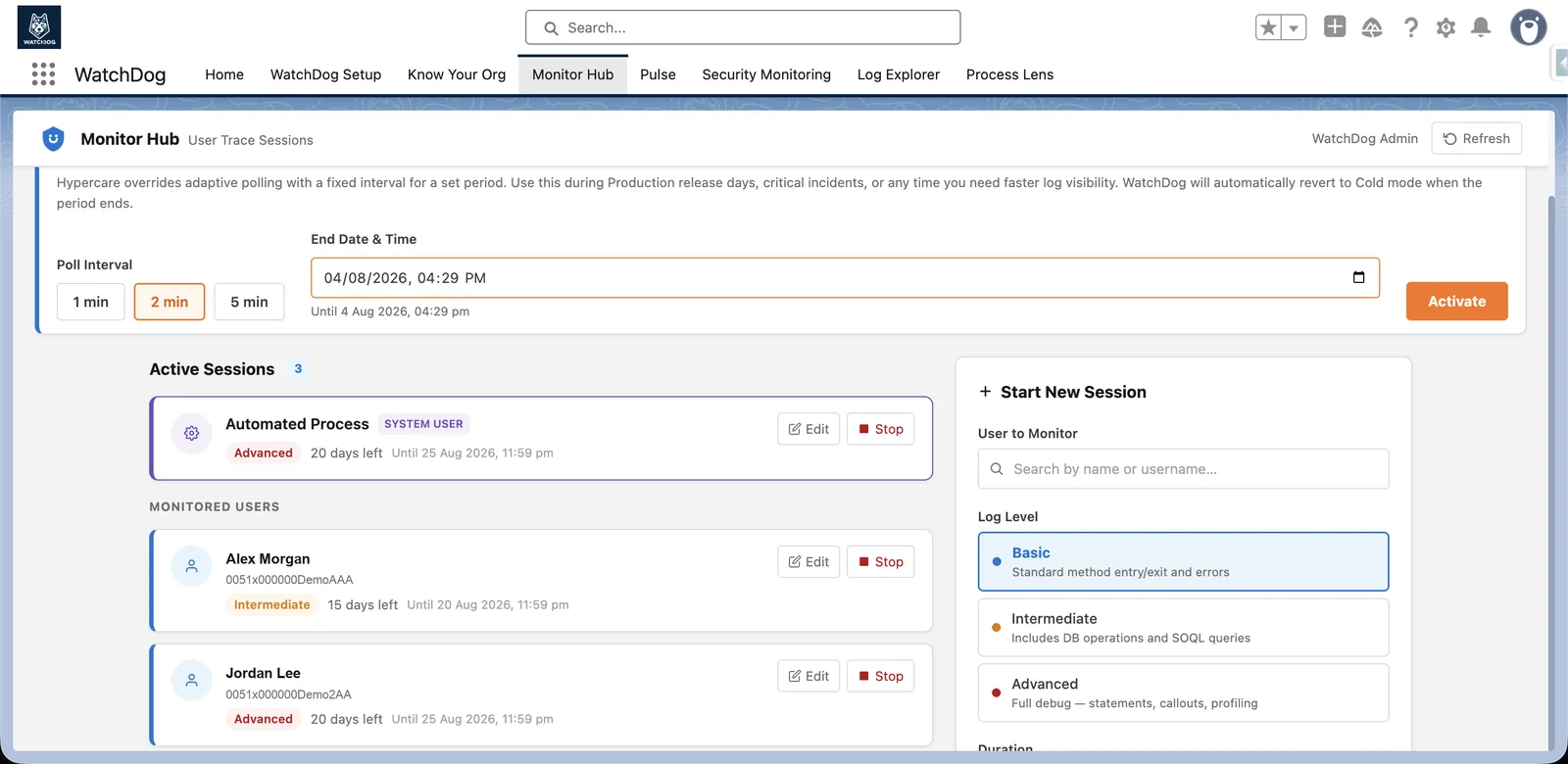
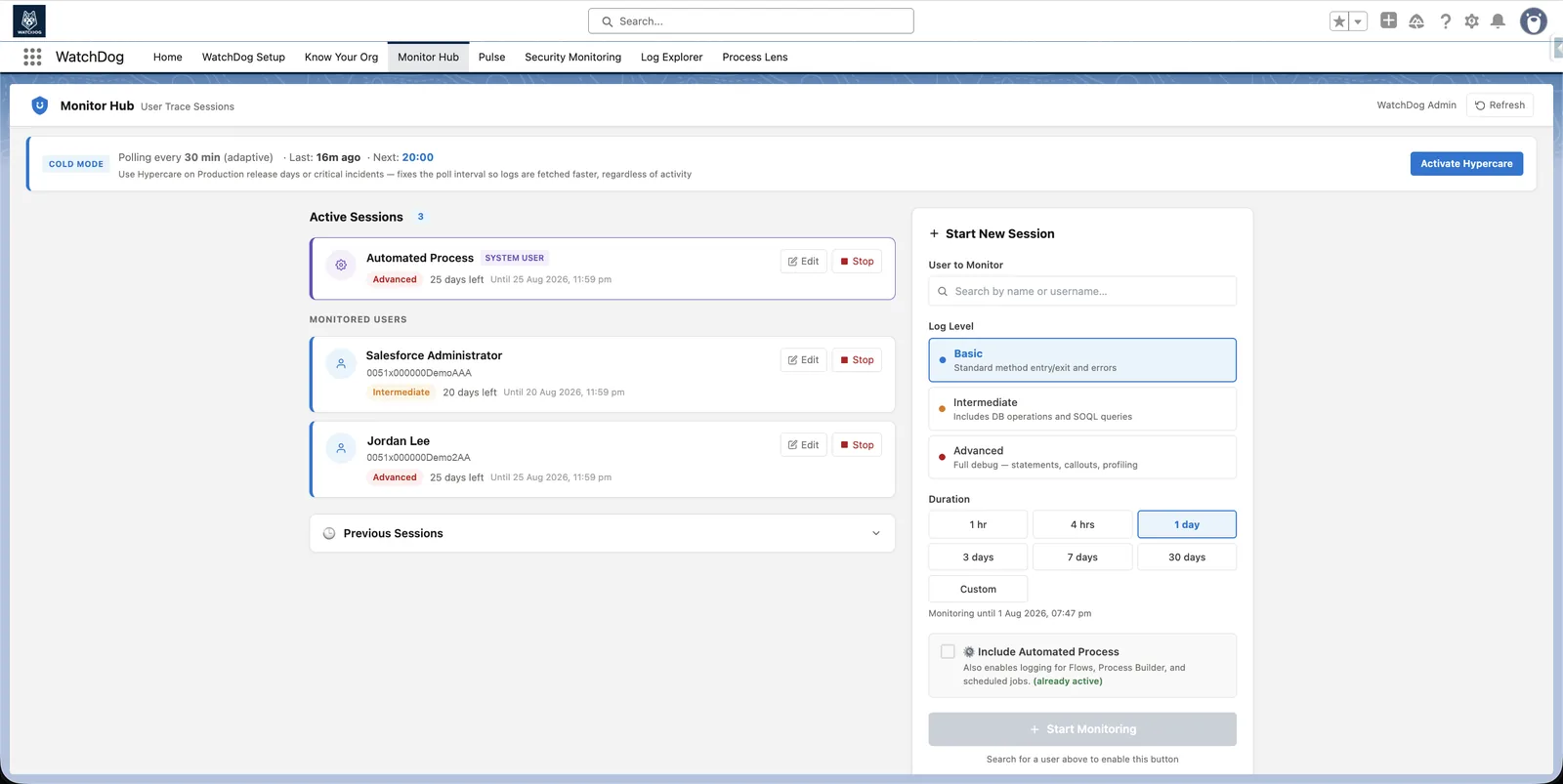
Hypercare Mode
Watch every go-live as it happens
- Auto-renews Salesforce TraceFlags — works for interactive users and automated/integration accounts
- Hypercare boost: 1, 2 or 5-minute polling for a window you set, auto-expires and reverts to adaptive
- Detects FATAL_ERROR, LimitException, Flow & VF failures — notifies via Salesforce and email
- AI Analysis, when enabled, adds root cause and a corrected snippet to the notification
1 minfastest polling during a hypercare window
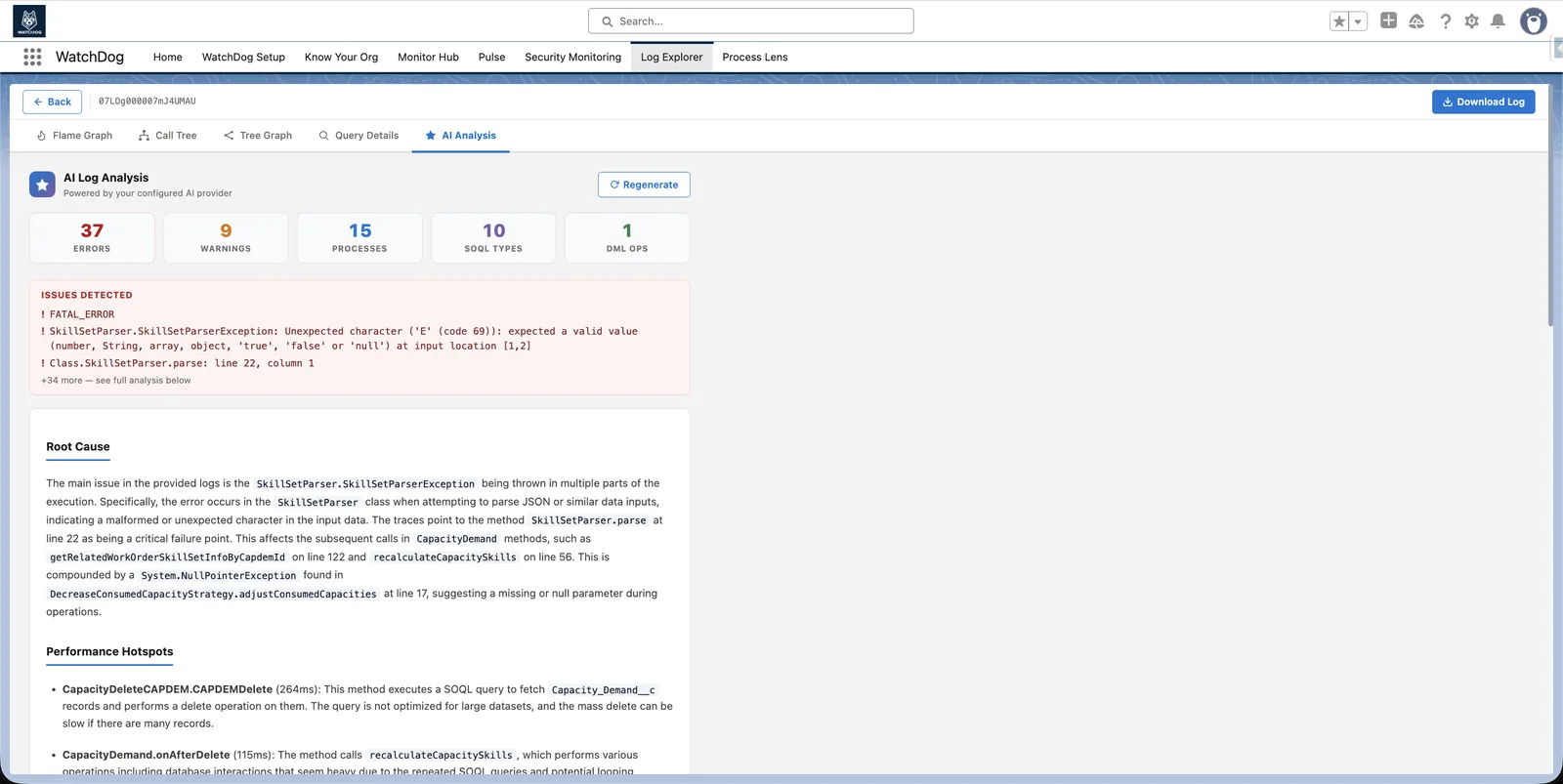
Log Explorer
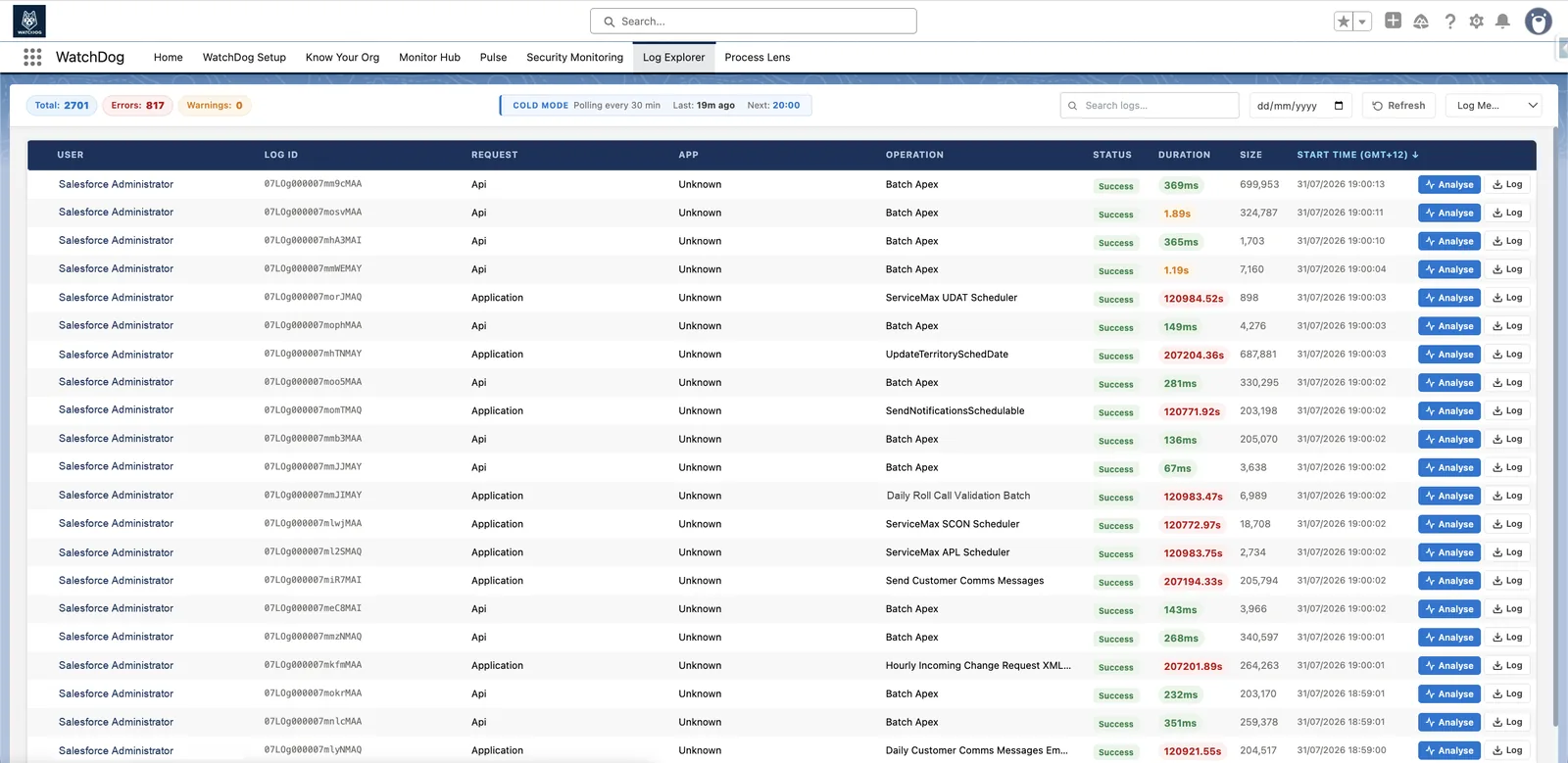
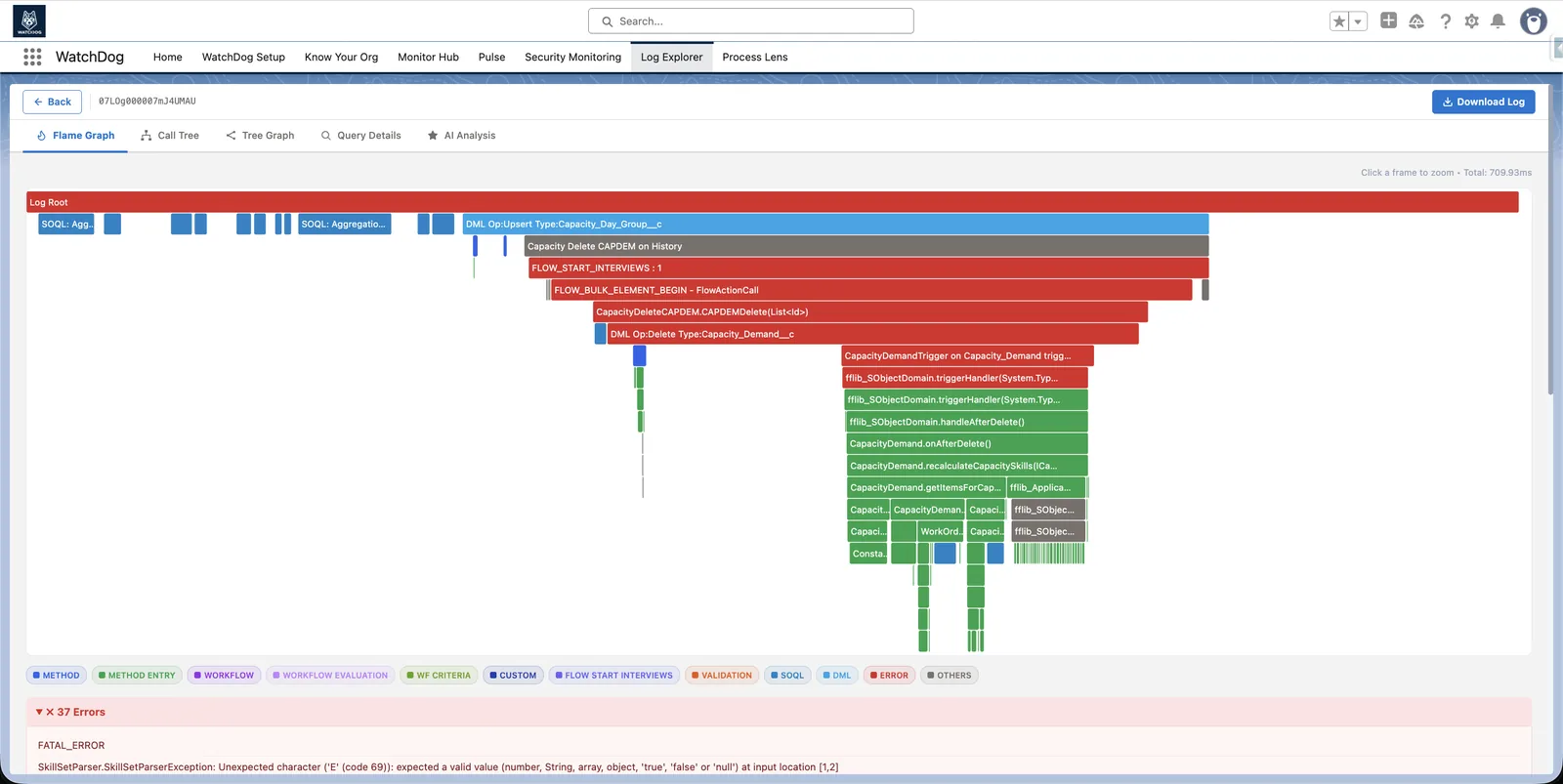
Root cause for every Apex log, not guesswork
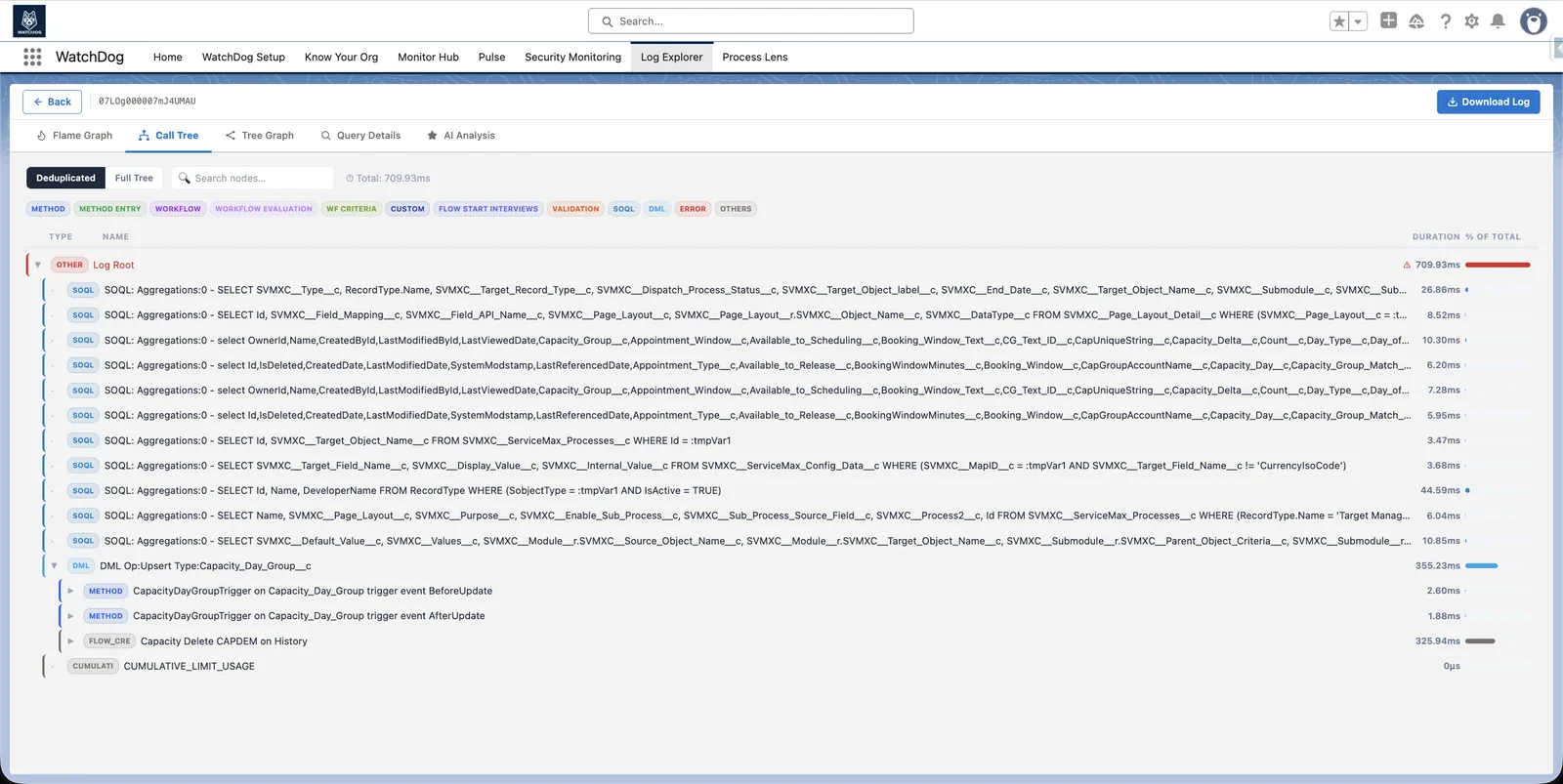
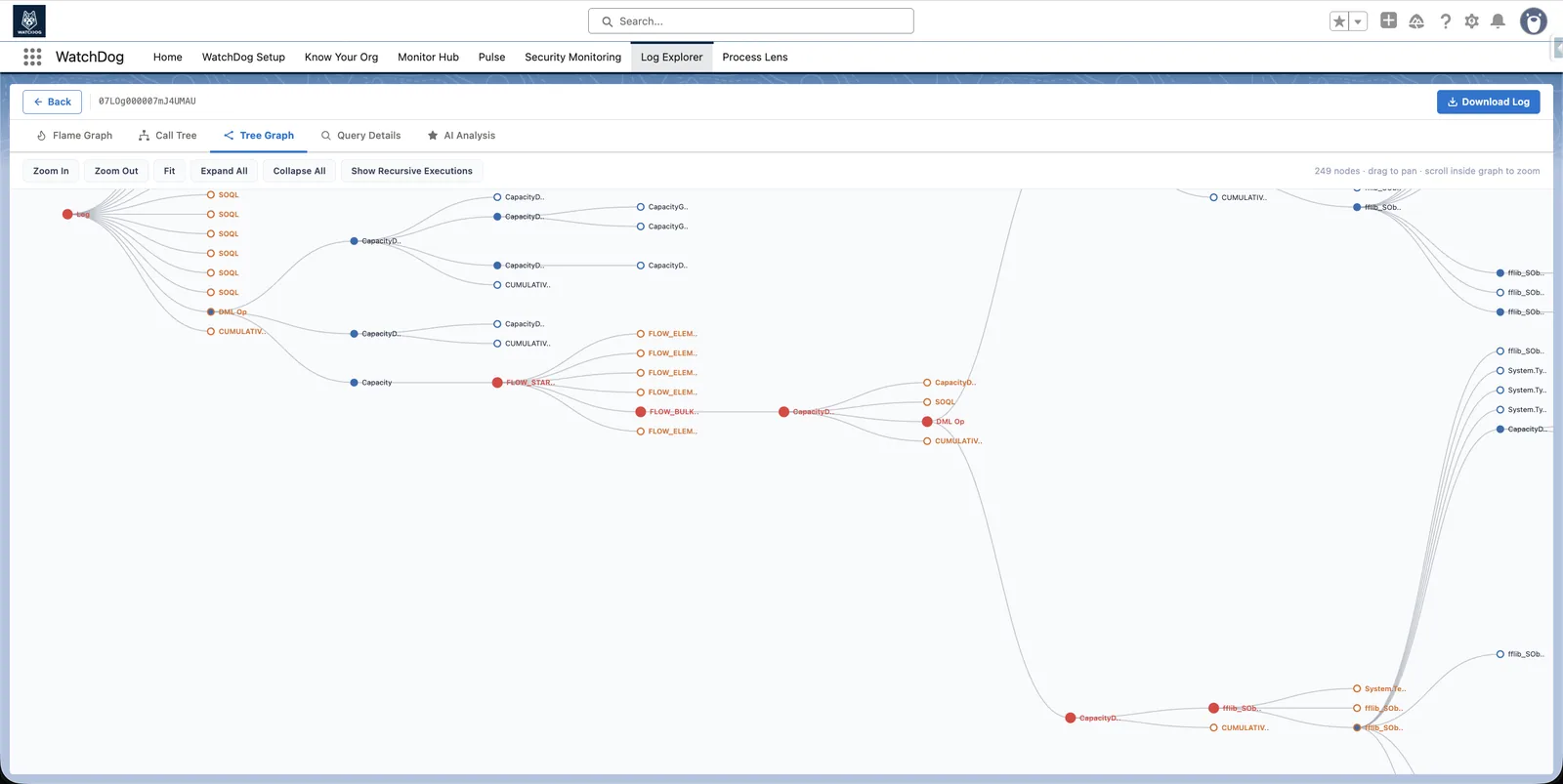
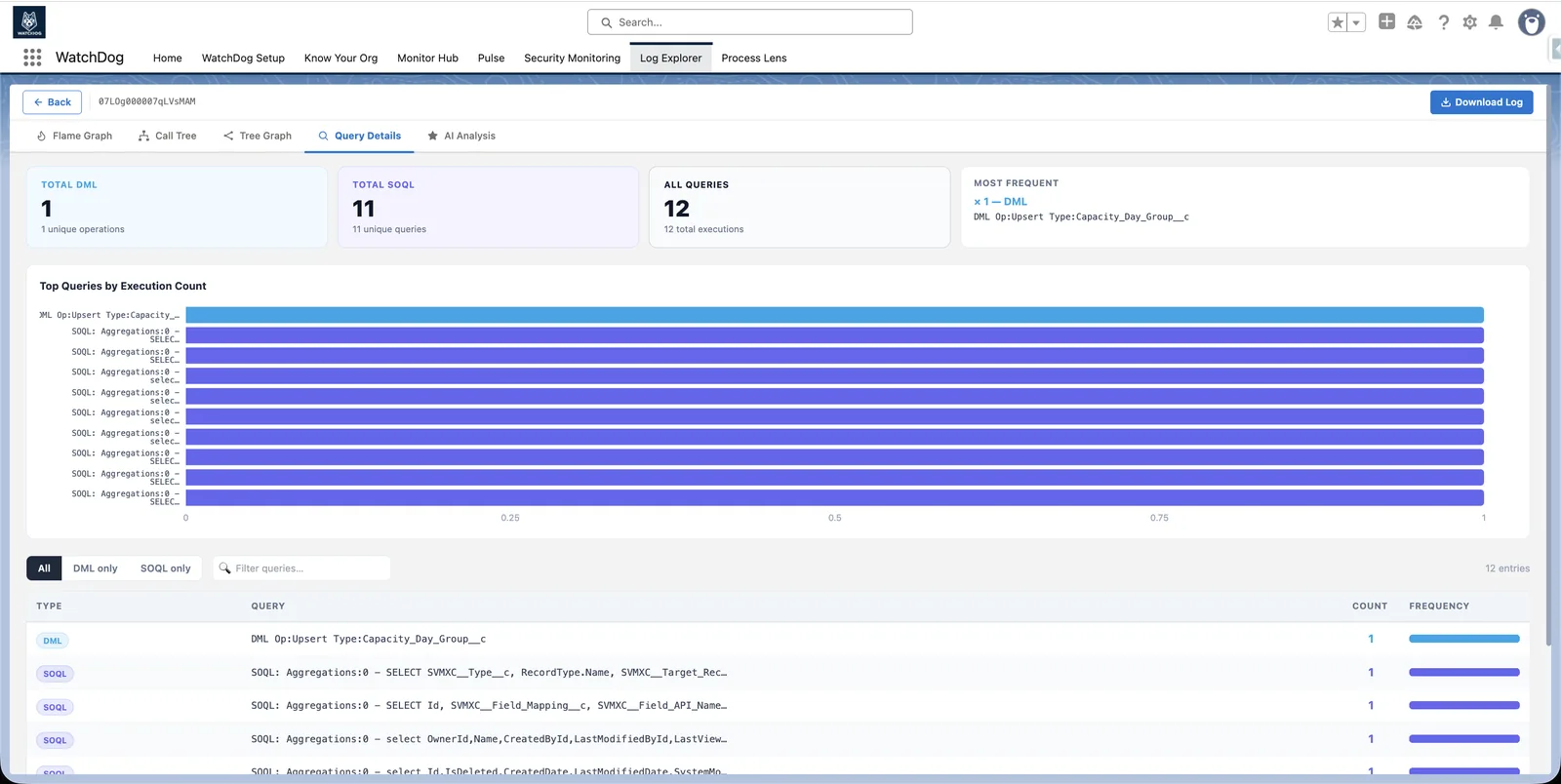
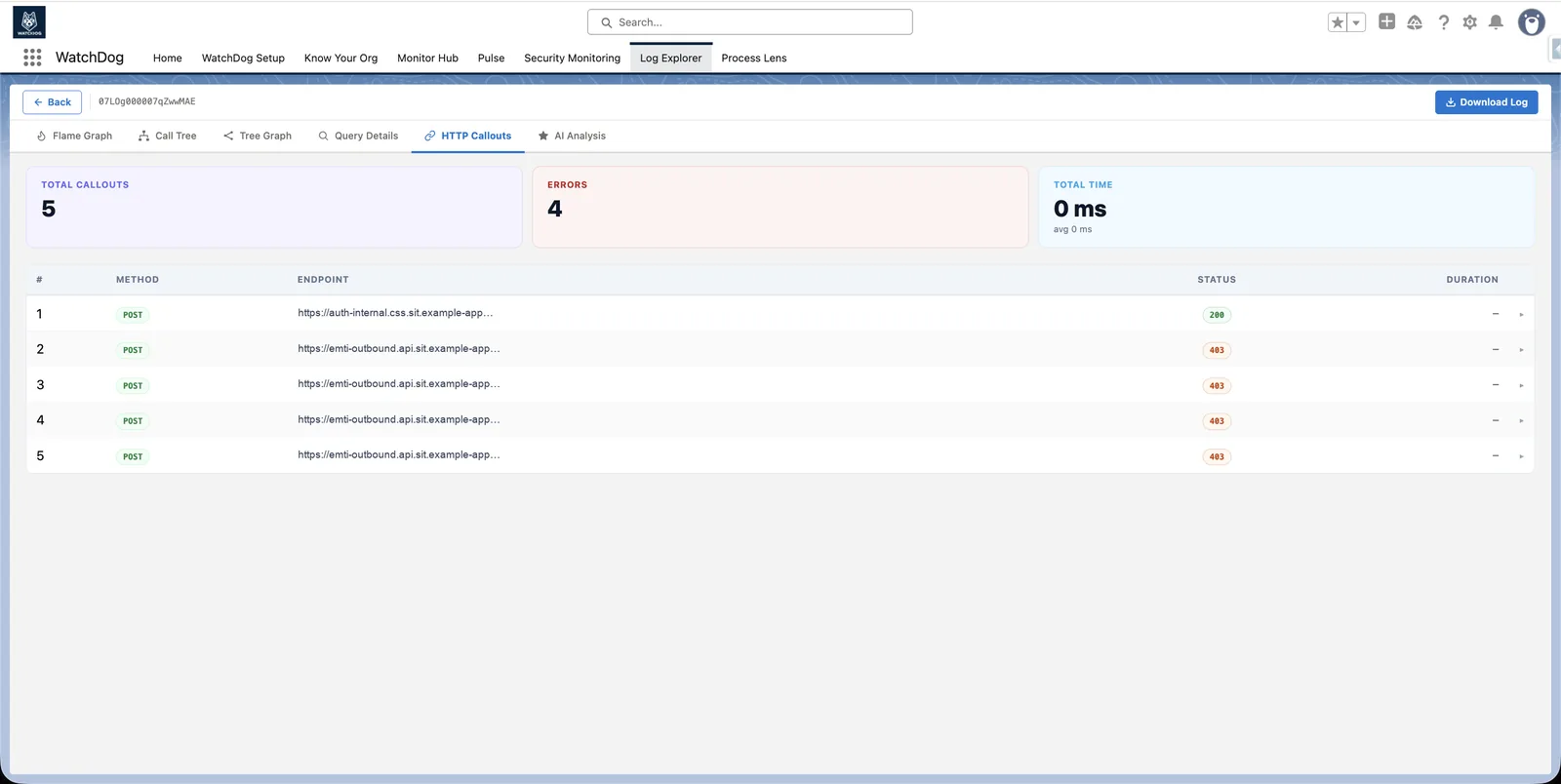
- Parses 40+ log categories (DML, SOQL, Callout, Flows)
- Top 10 slowest processes with trend analysis, avg / peak duration
- AI Analysis: root cause plus a corrected snippet for the exact lines at fault
- Use-case tracking and process benchmarking
40+log categories parsed into one execution tree
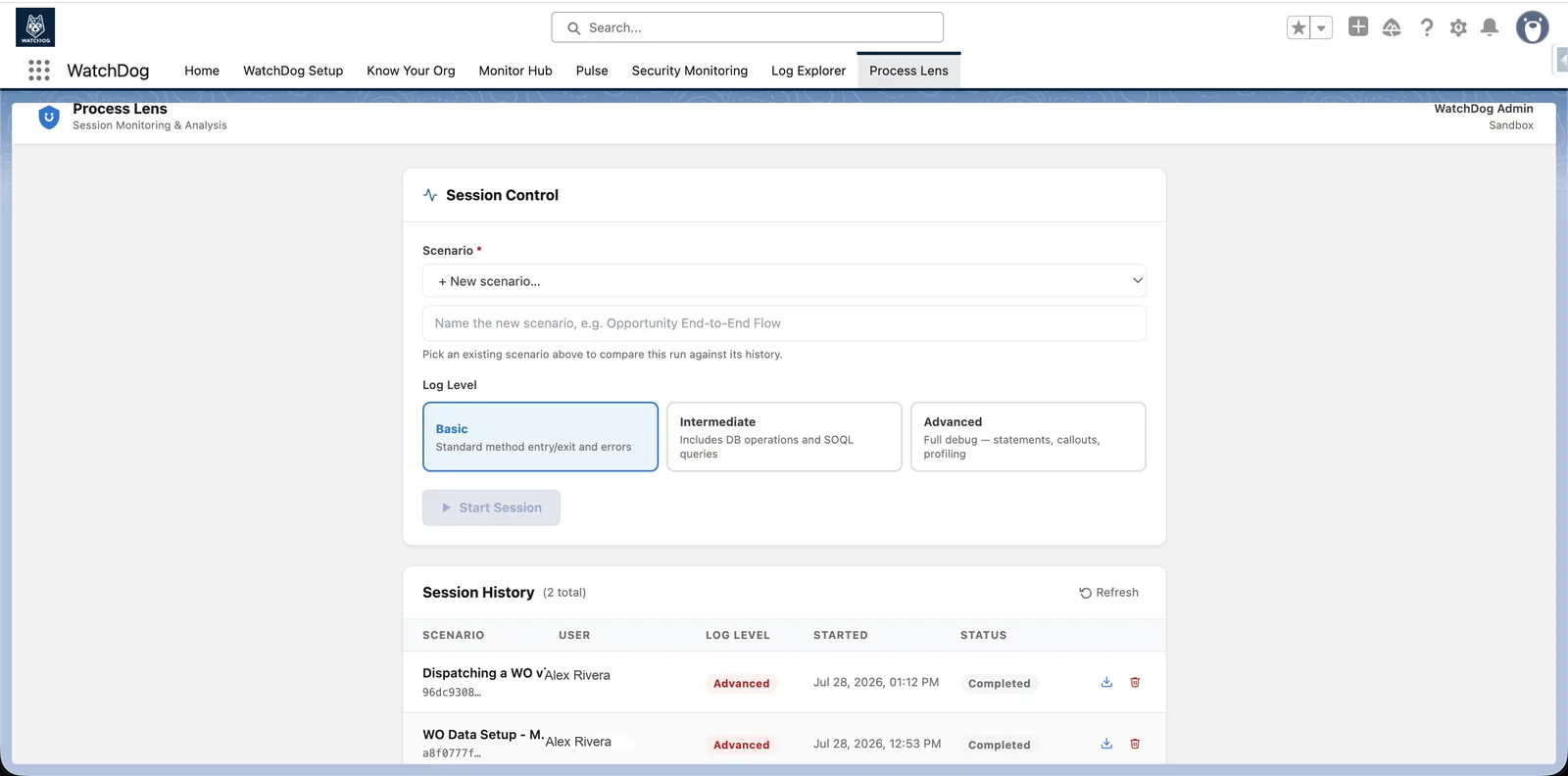
Process Lens
Prove a change didn't slow anything down
- Name a scenario, run it, and capture every log it touches — sync and async
- Compare median and slowest-5% duration against the scenario's own past runs
- Per-class delta table: what got slower, what's new, what stopped running
- SOQL & DML consumption plus a signed PDF report for every session
Every runcompared against the scenario's own history
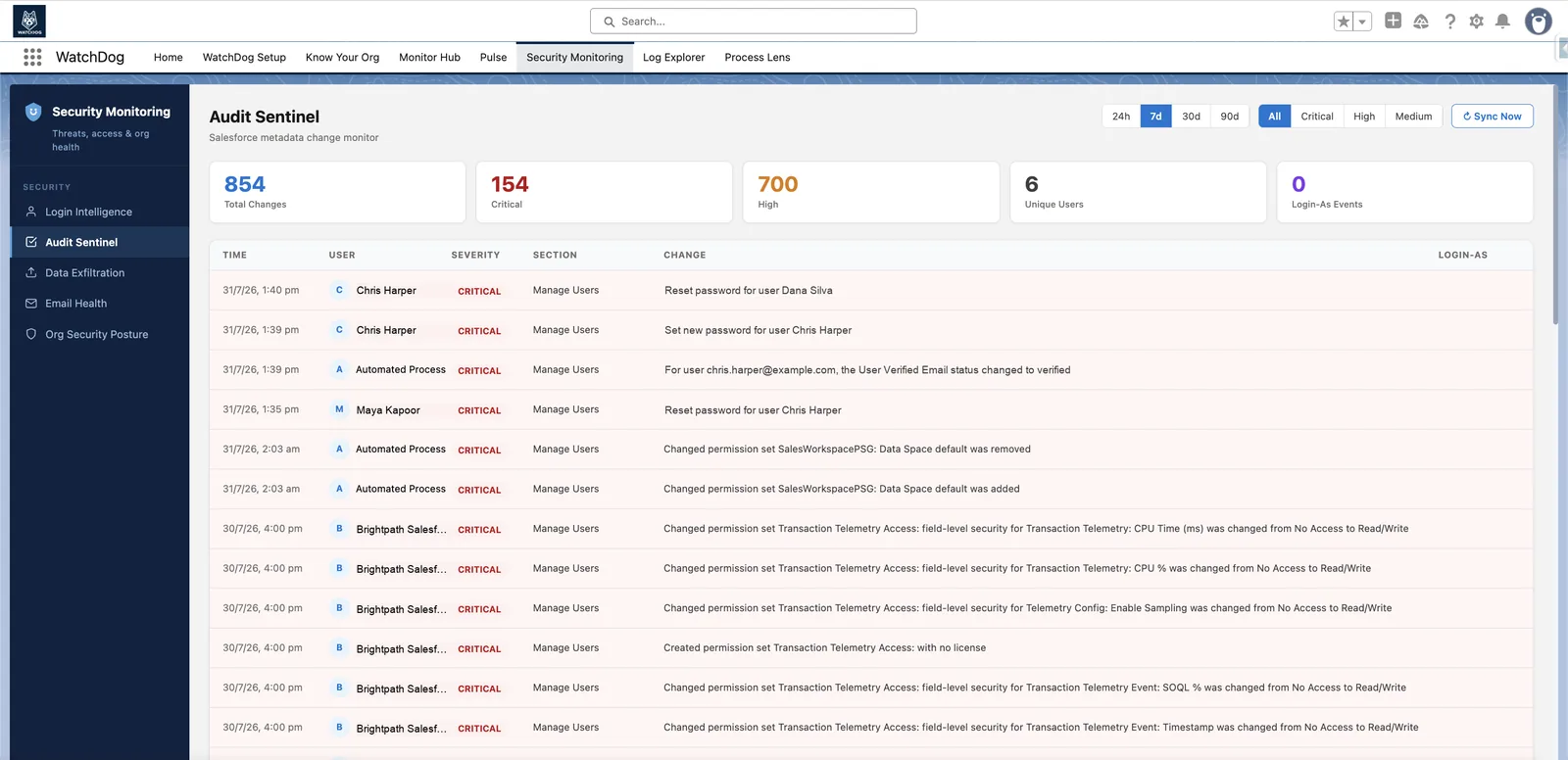
Audit Sentinel
Know who changed what in Production
- 60+ Salesforce setup sections classified by risk: CRITICAL, HIGH, MEDIUM, LOW
- CRITICAL: Profiles, Permission Sets, Connected Apps, SSO
- Choose which metadata sections to monitor, and exclude trusted users from alerts
- Retention set by you — keep history well beyond Salesforce's native 6-month audit trail
60+setup sections classified by risk
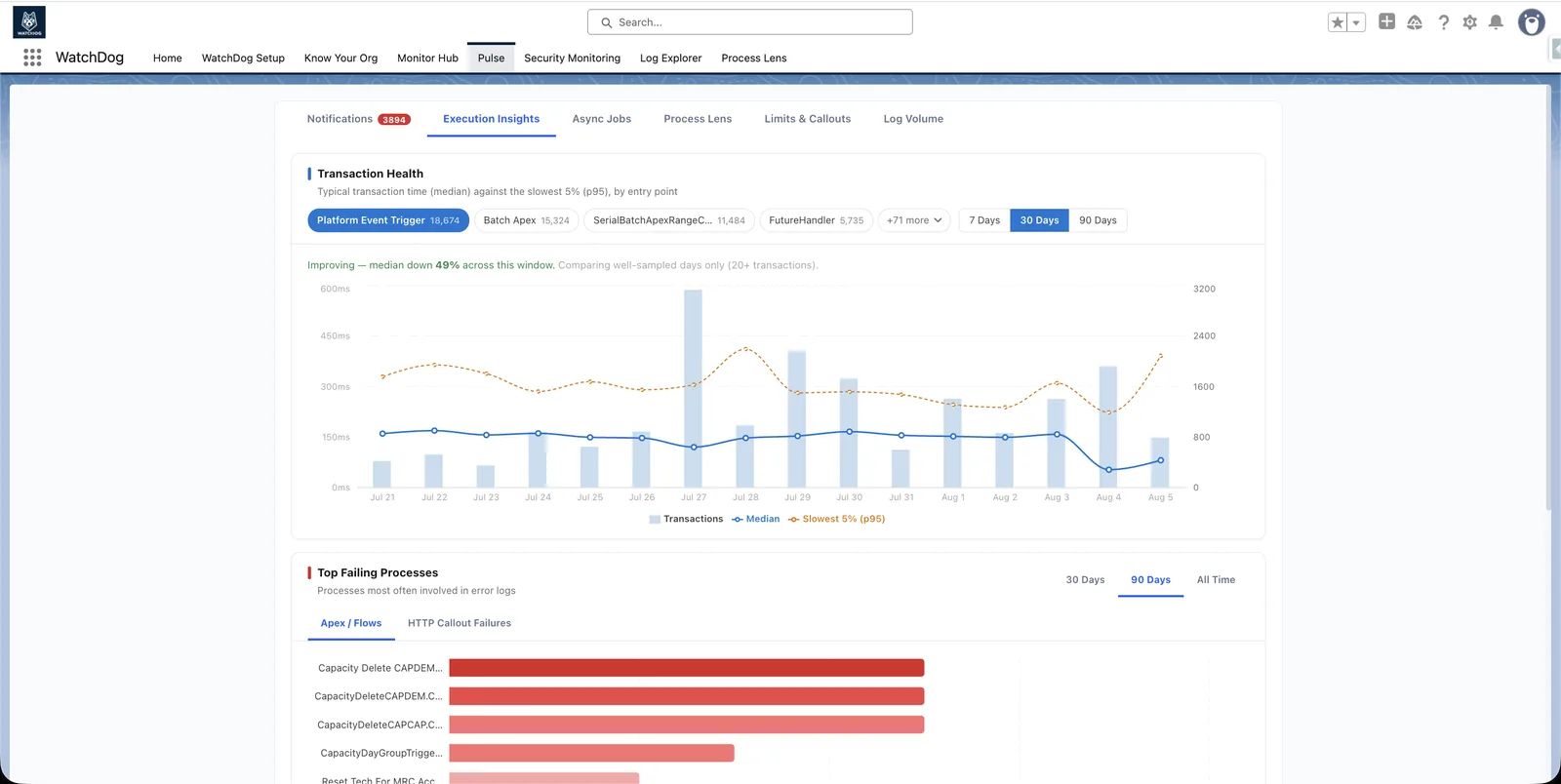
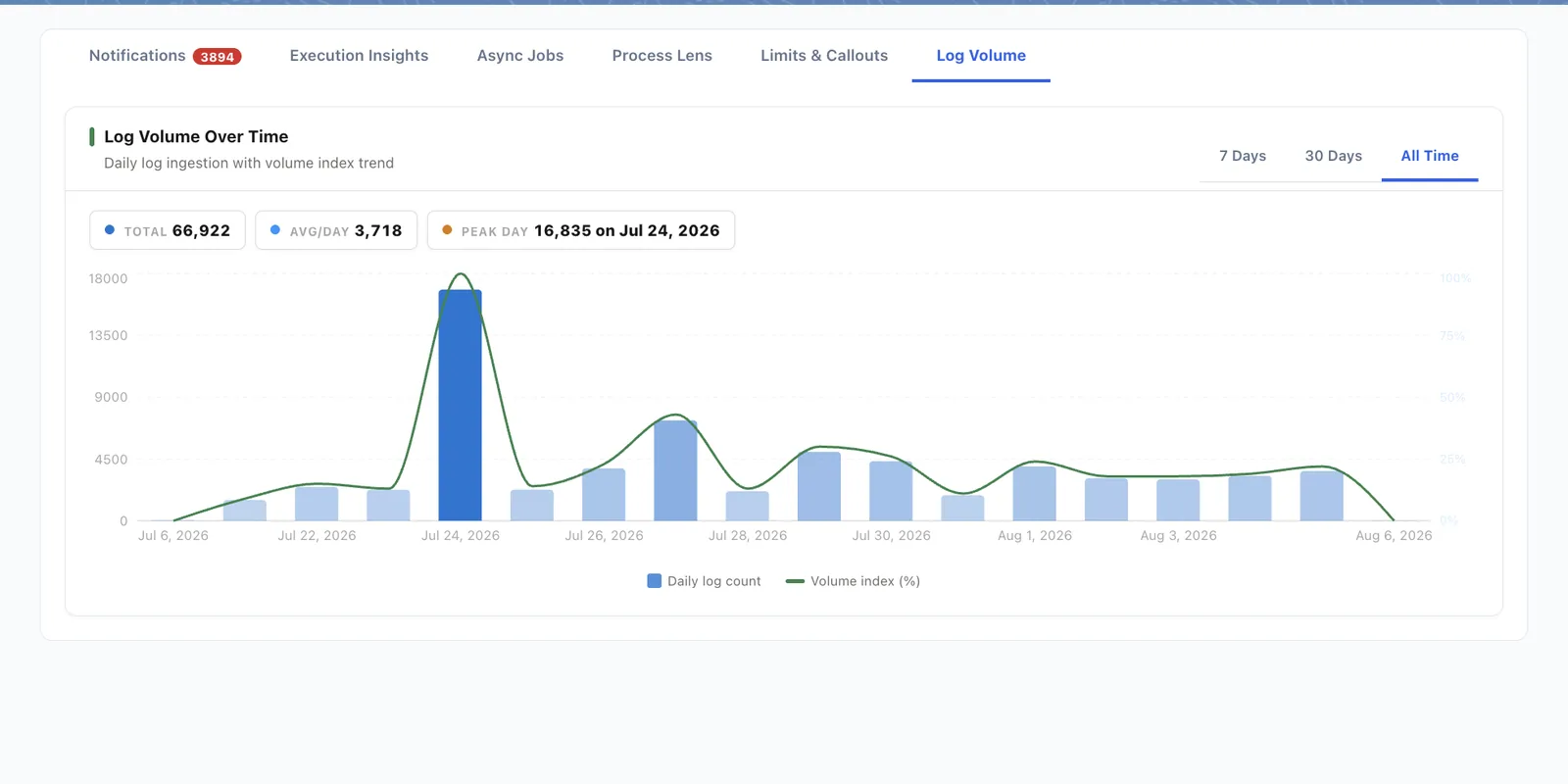
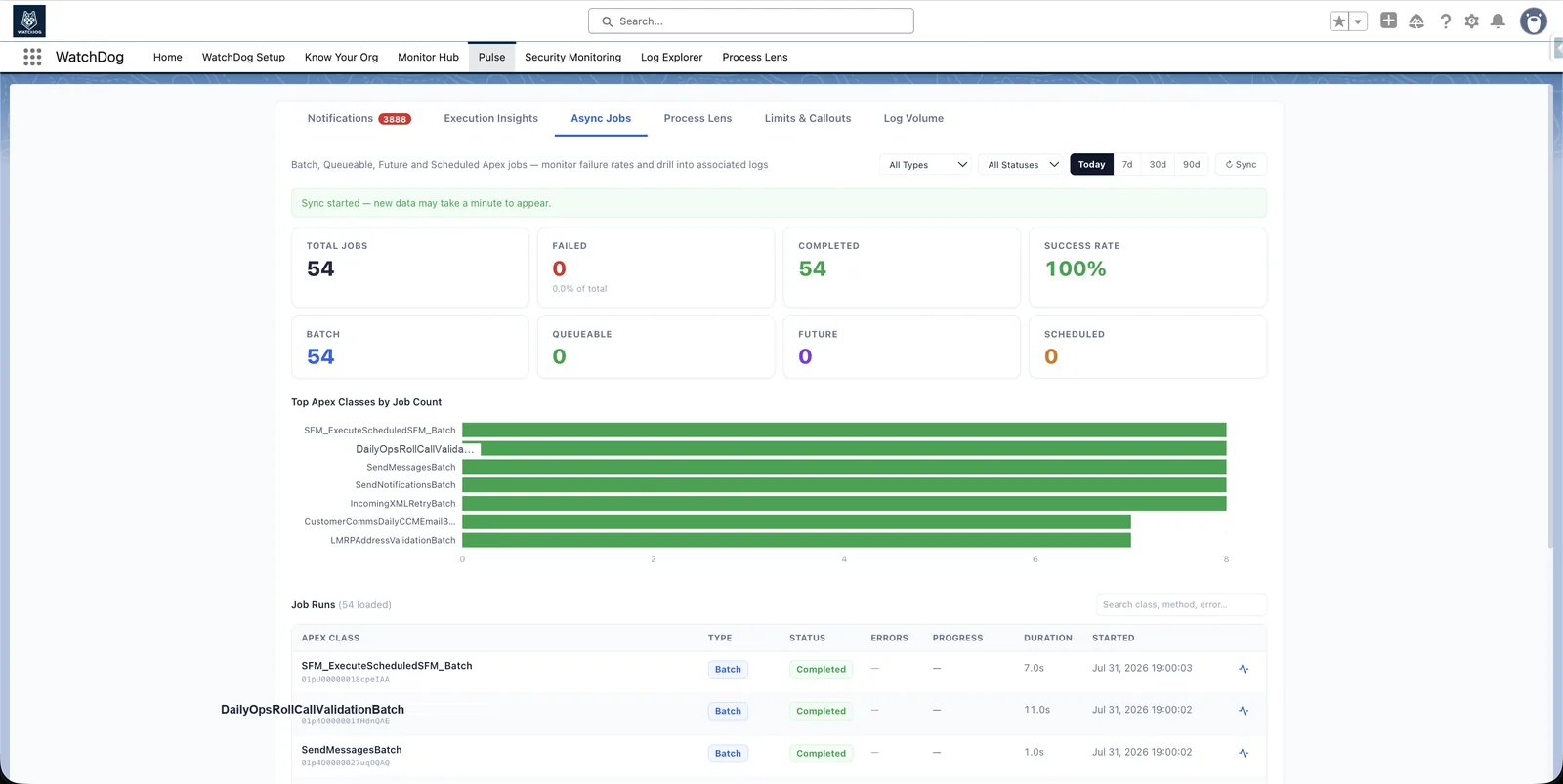
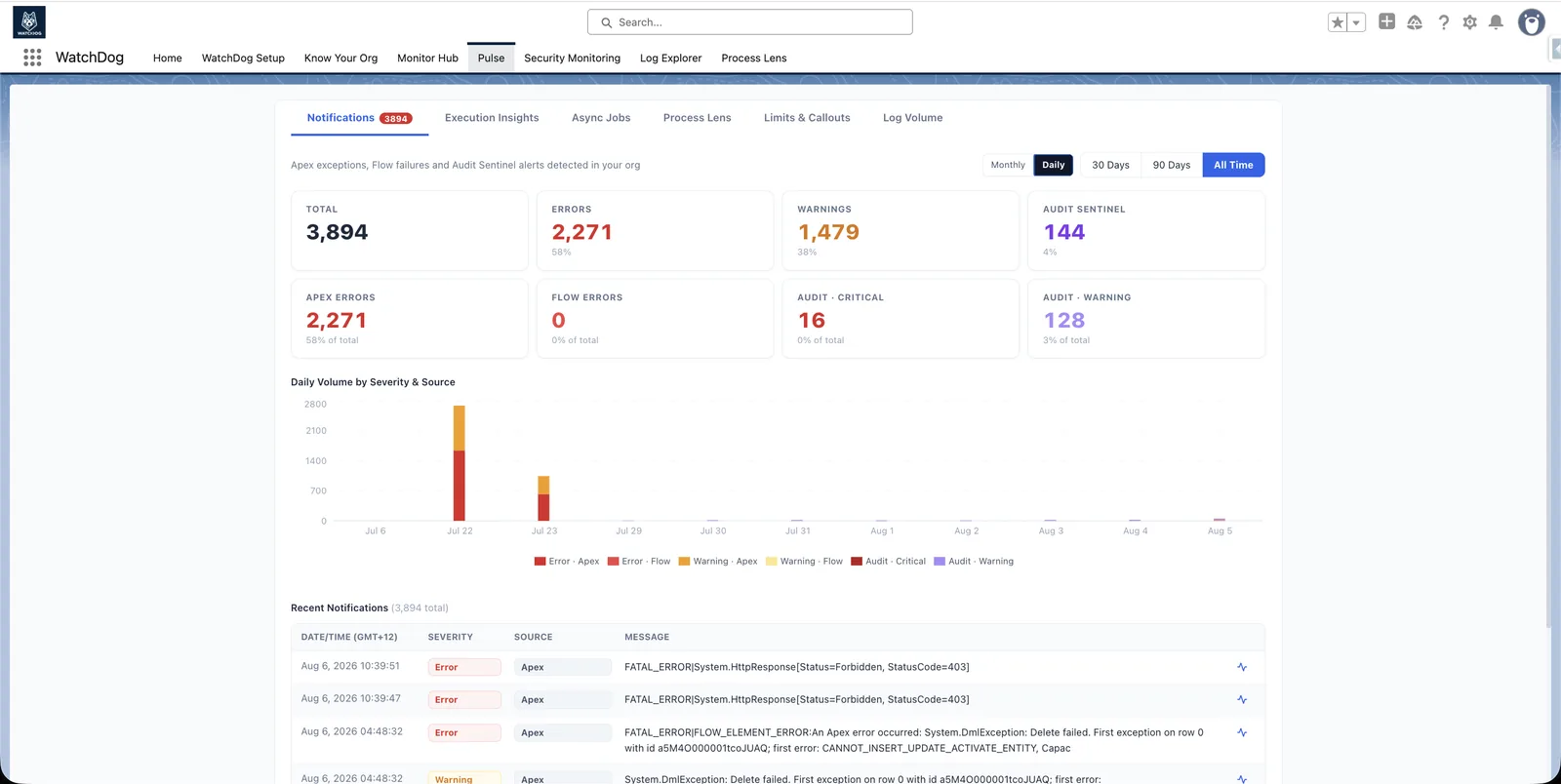
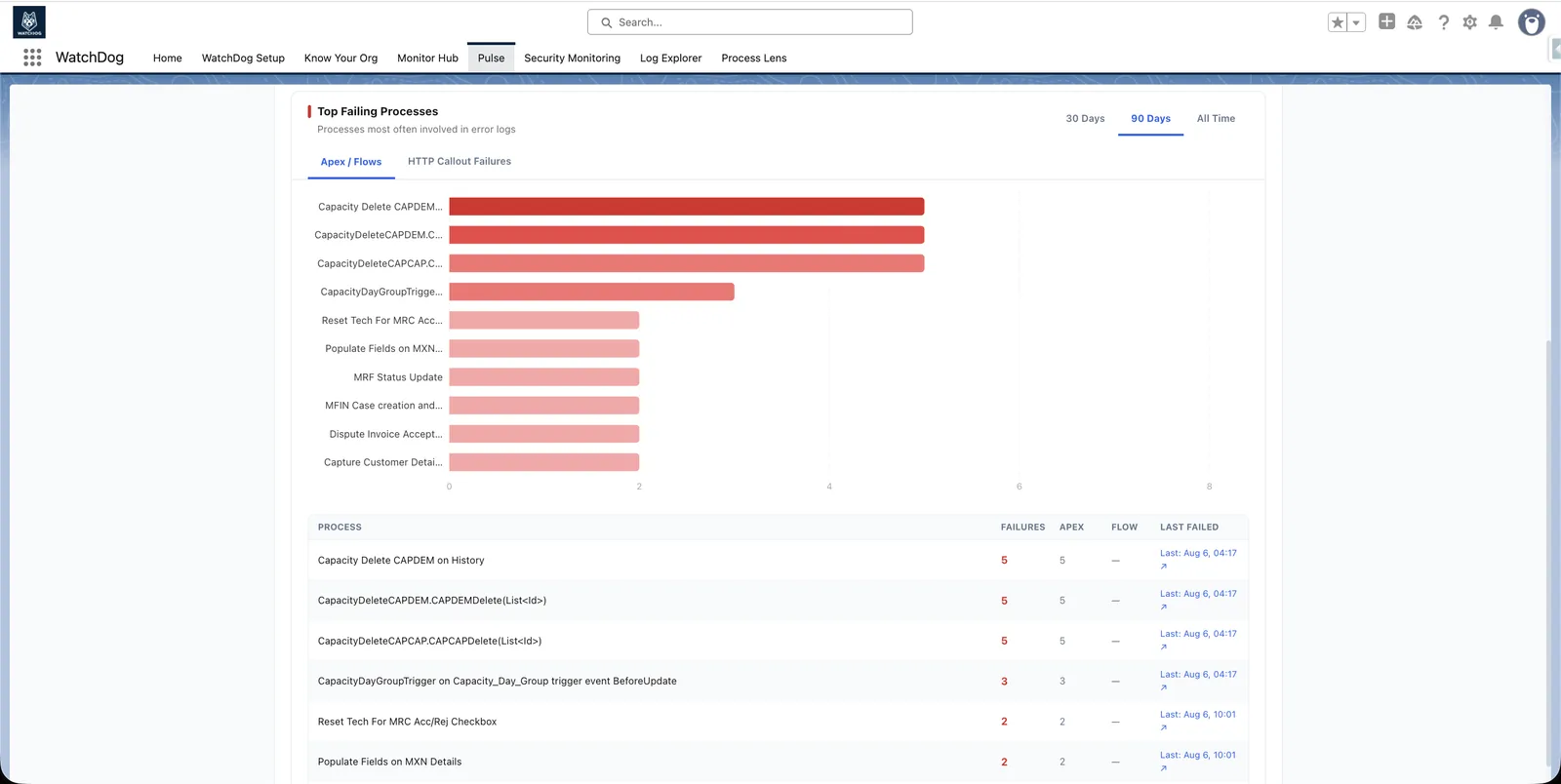
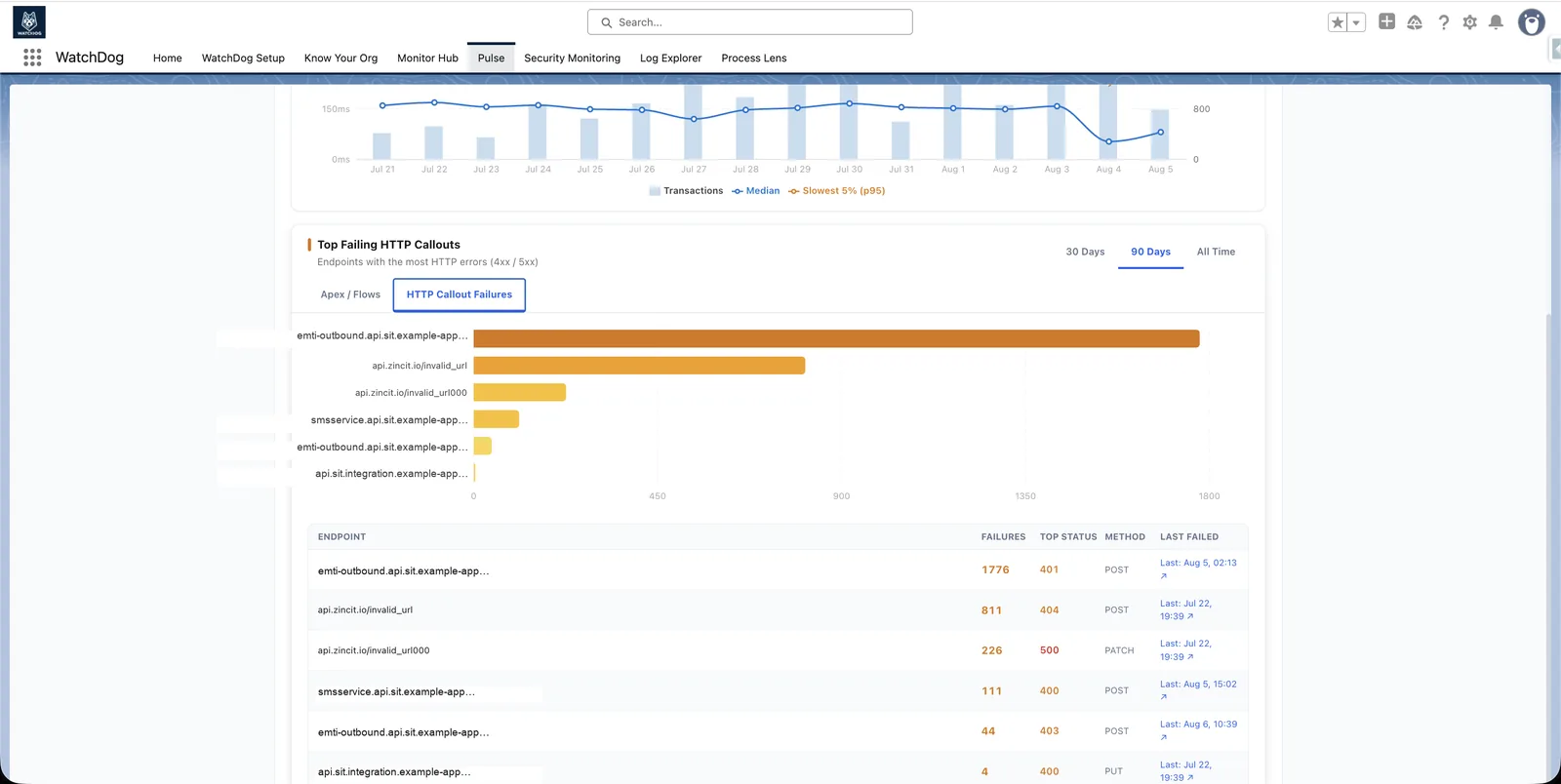
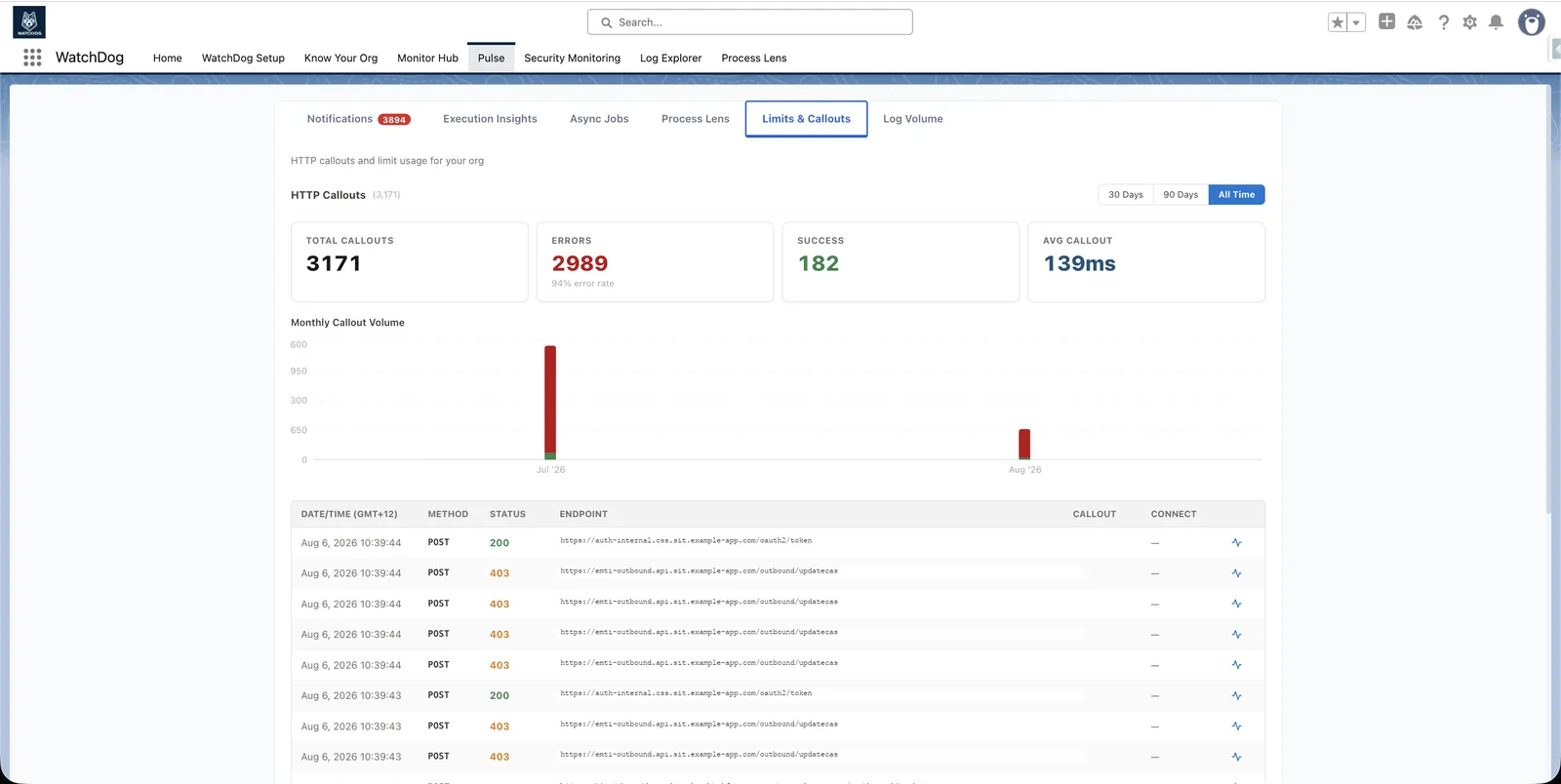
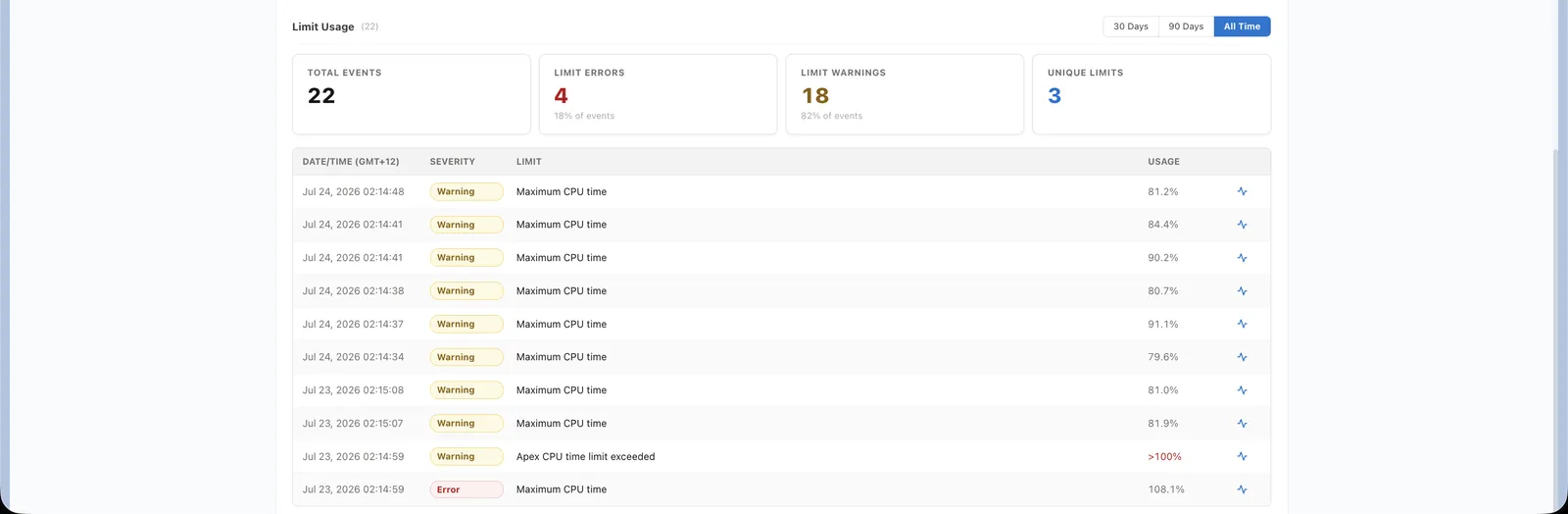
Pulse
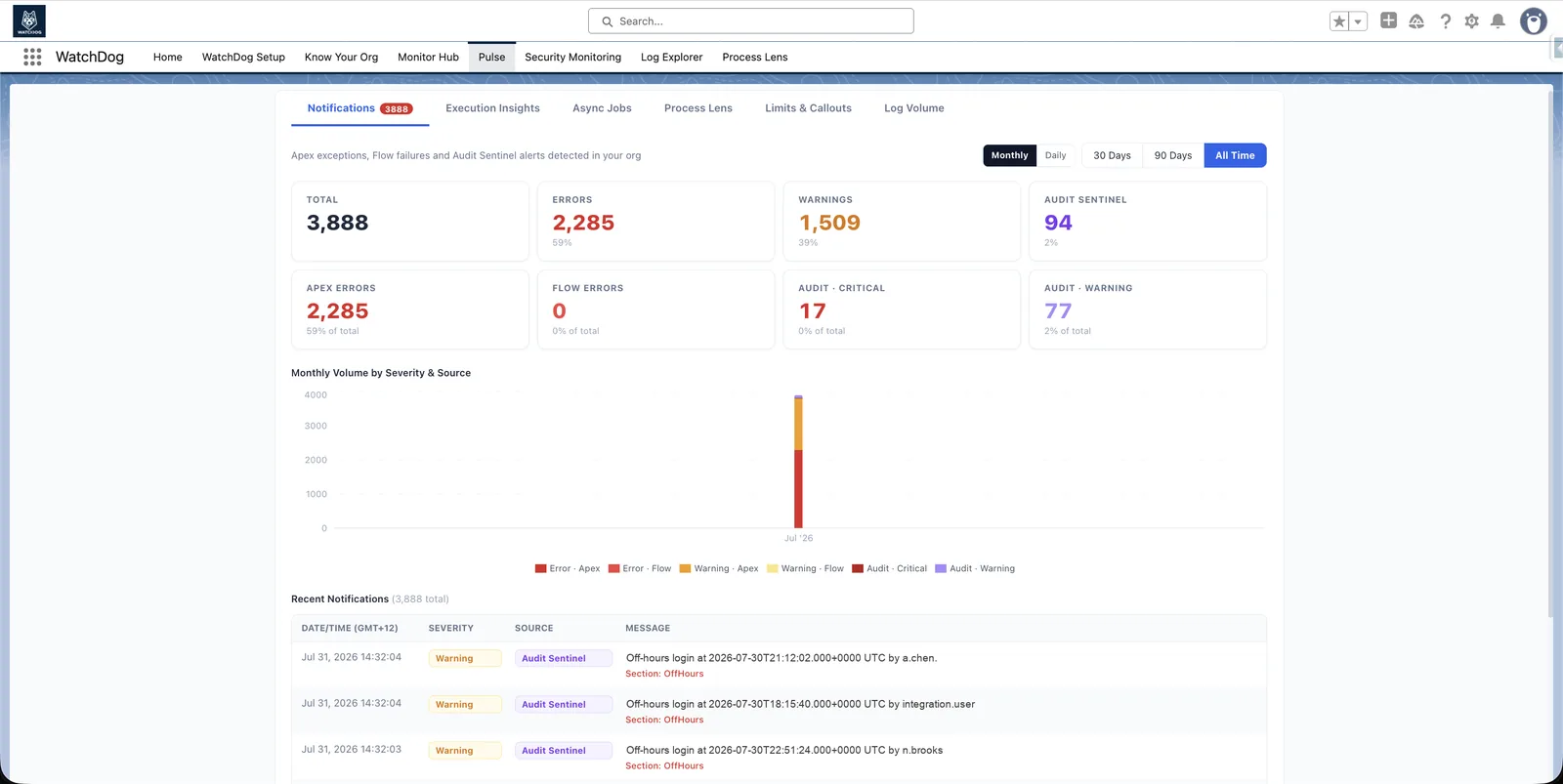
Every error and limit warning in one view
- Tabbed dashboard inside Salesforce via Canvas
- Notification feed with severity & source badges (Apex, Flow, Audit Sentinel)
- Every error, callout failure and limit warning links straight to the log that caused it
- Process trend charts, log volume and org-level callout metrics in one view
1 clickfrom any alert to the exact log that caused it
Login Intelligence
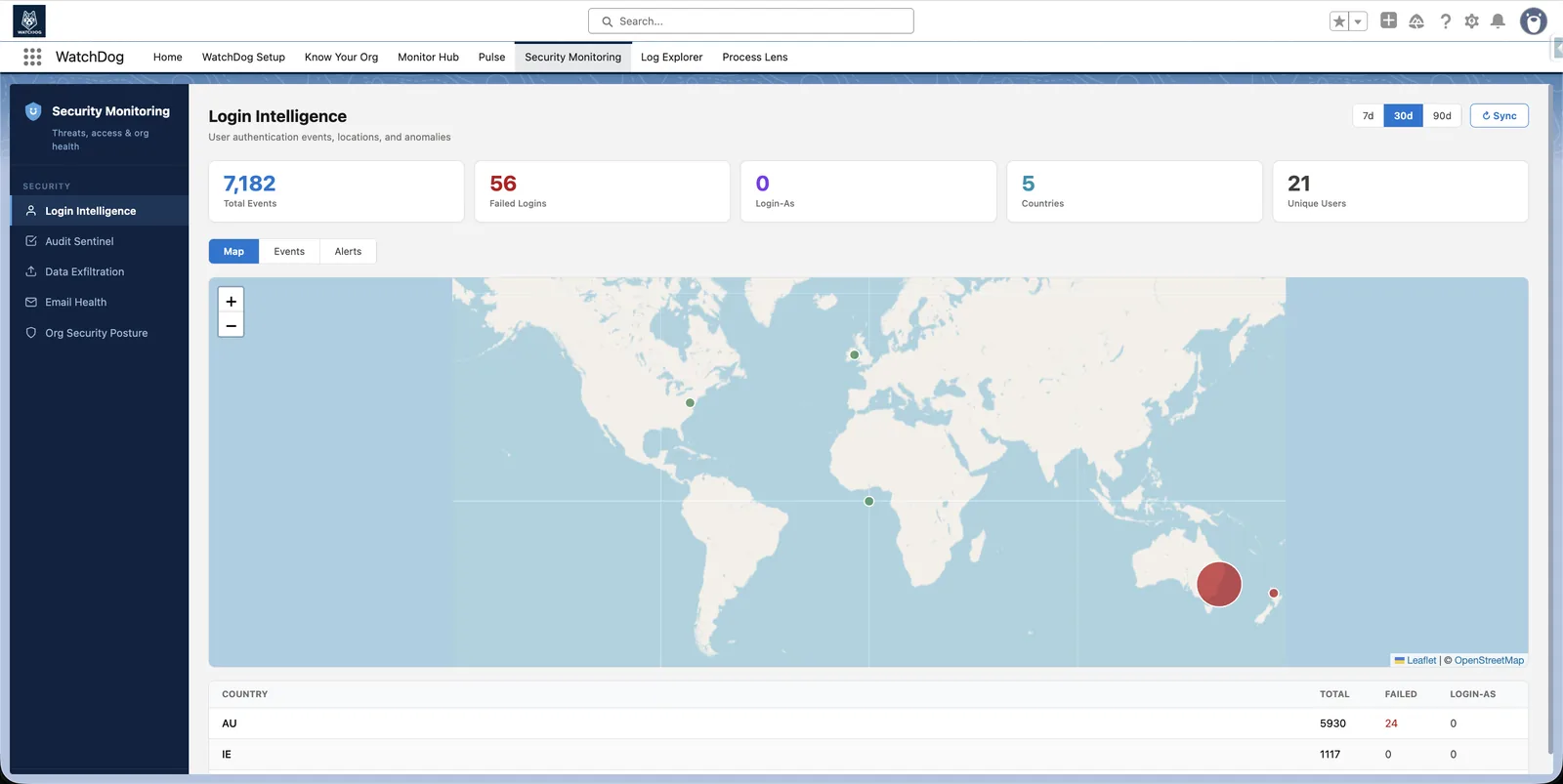
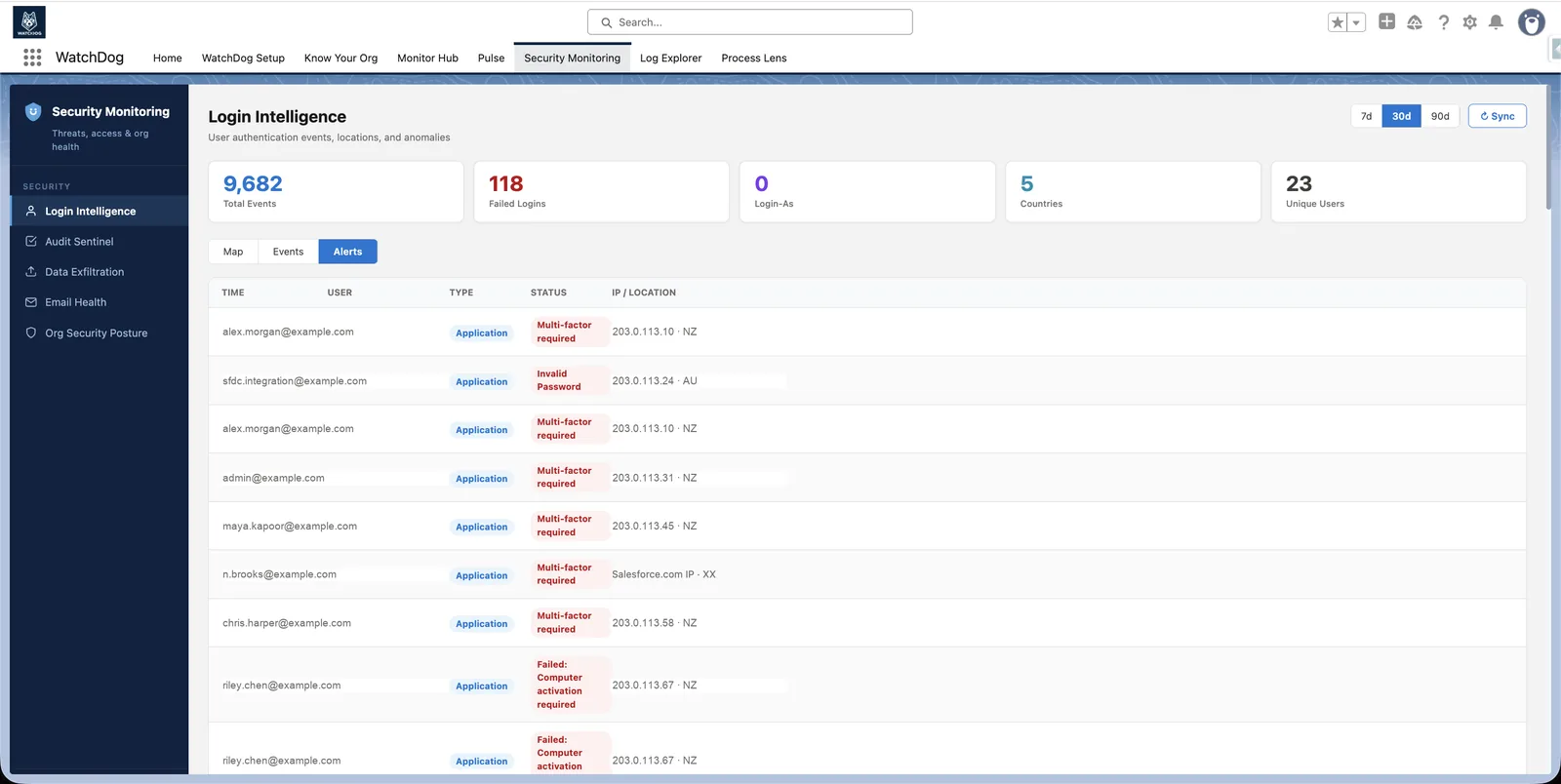
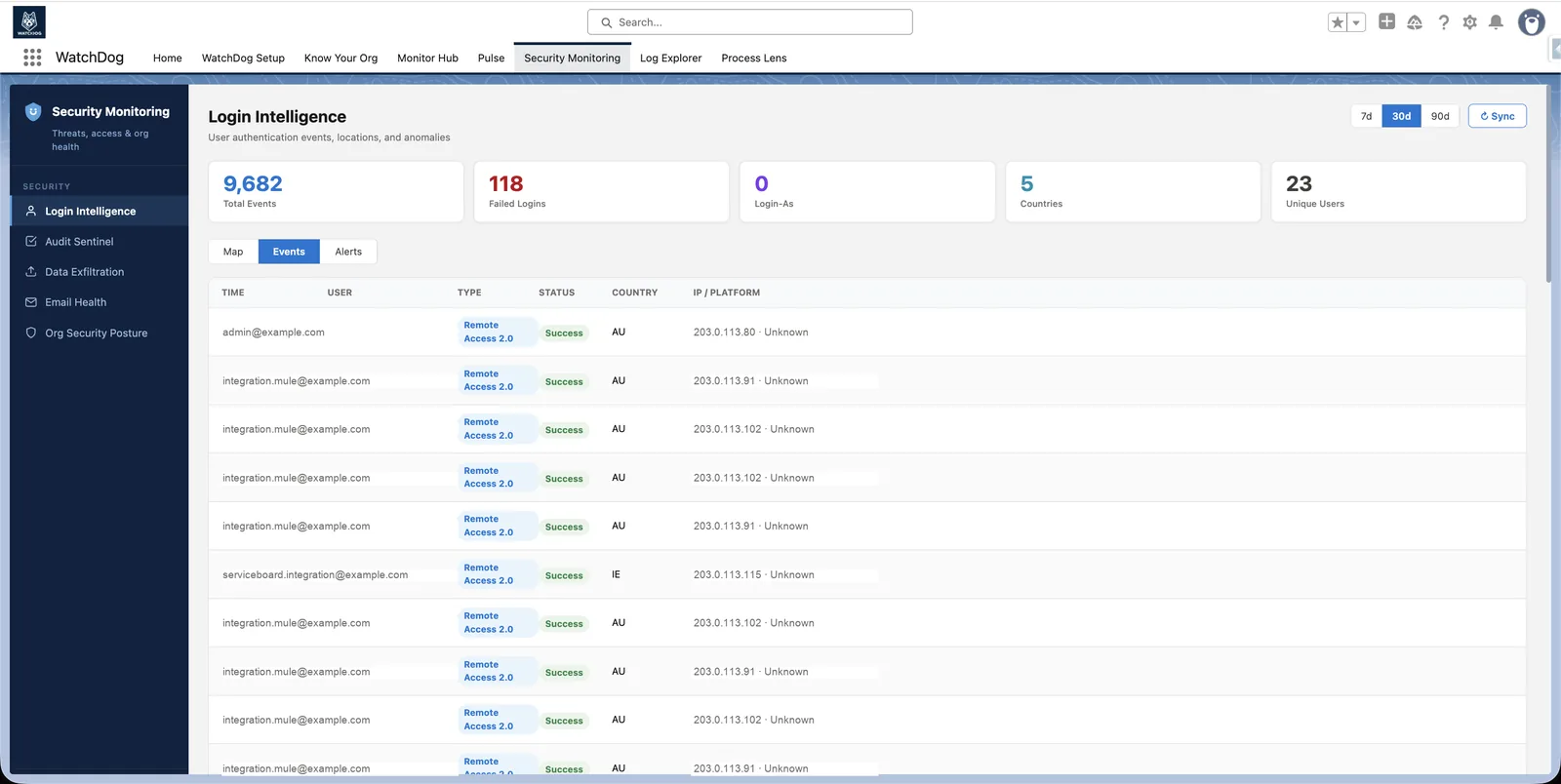
Catch suspicious logins as they happen
- Geo-fencing: alert the moment a login comes from outside your allowed countries
- Failed-login spike threshold is yours to set (default: 5 attempts)
- Alerts: LoginAs impersonation and off-hours login
- World map visualisation — see at a glance where every login originates
4alert types: geo-fence, failed-login spikes, impersonation, off-hours
Data Exfiltration Signals
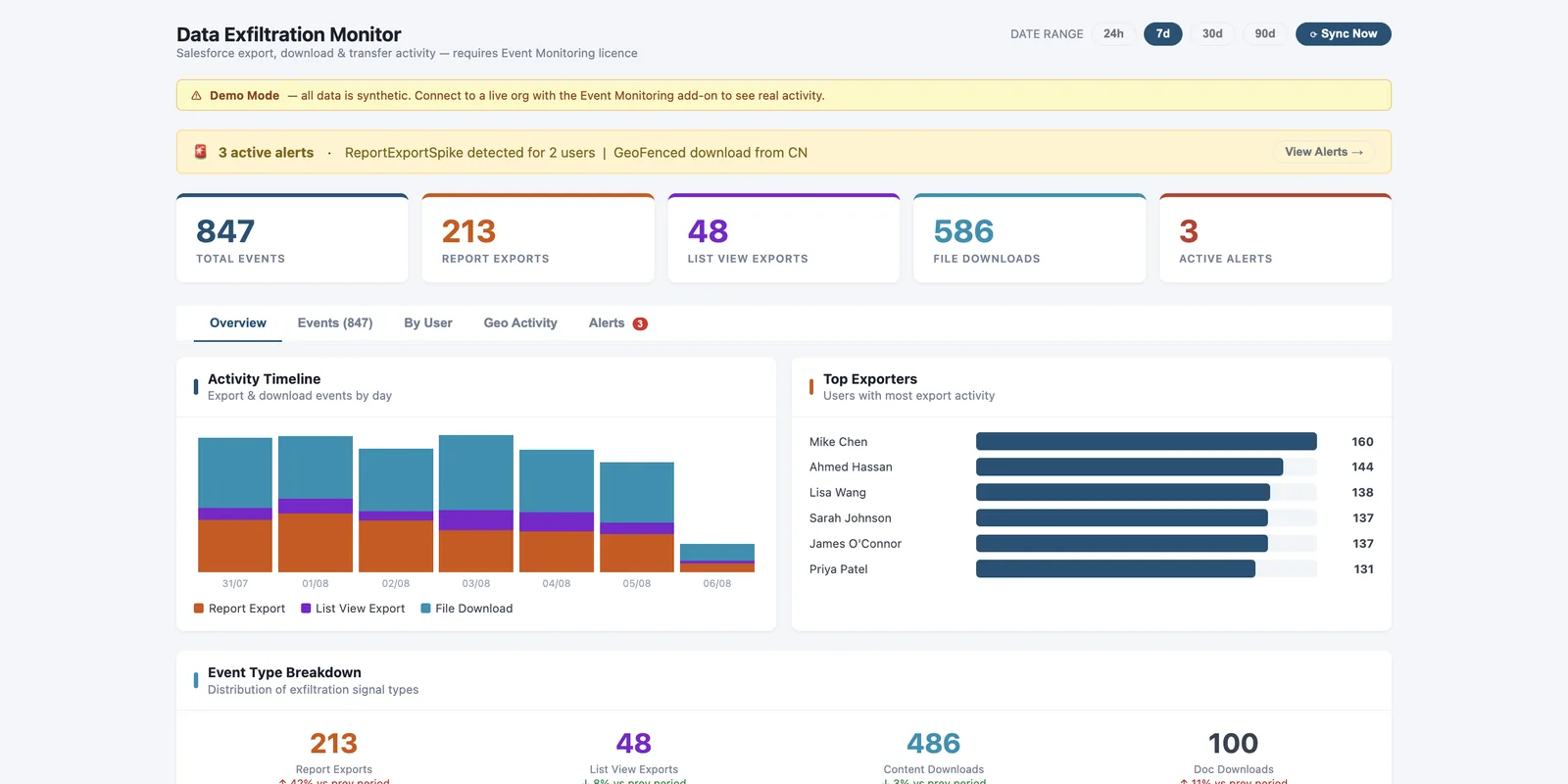
Spot bulk exports before they become a breach
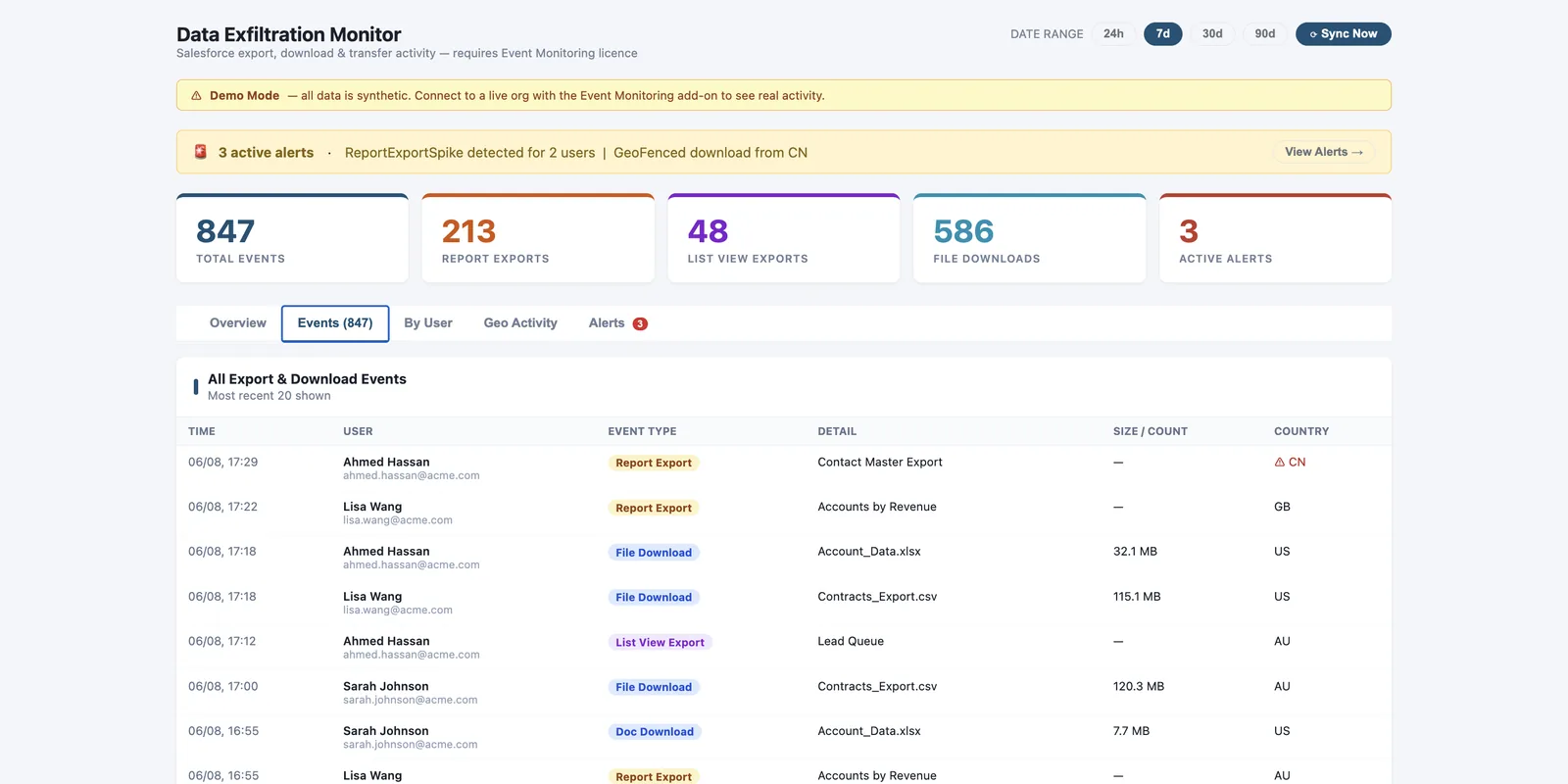
- Monitors report exports, file downloads, list view exports & document downloads
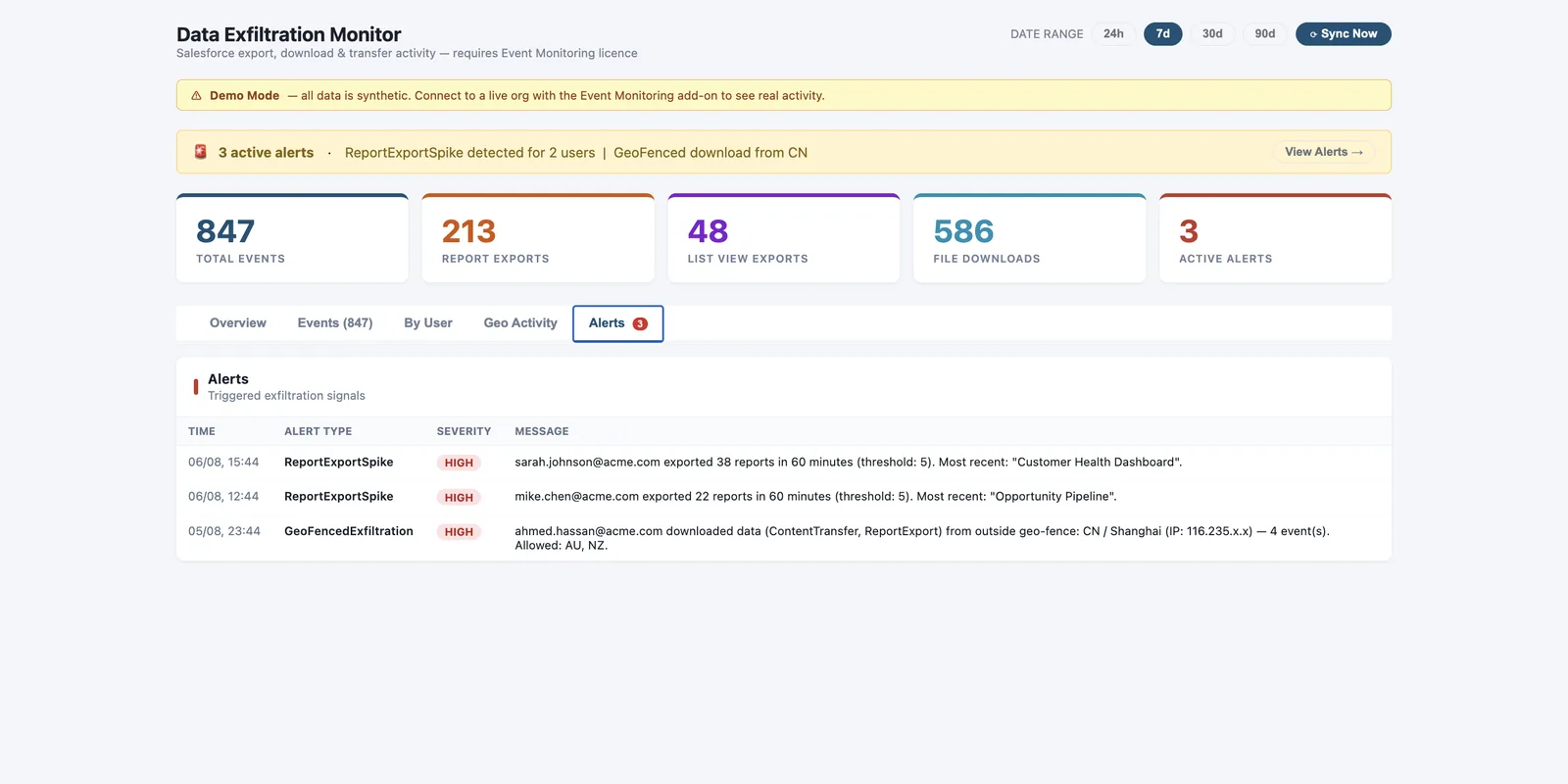
- Per-org thresholds (export count, MB, time window), enforced per user
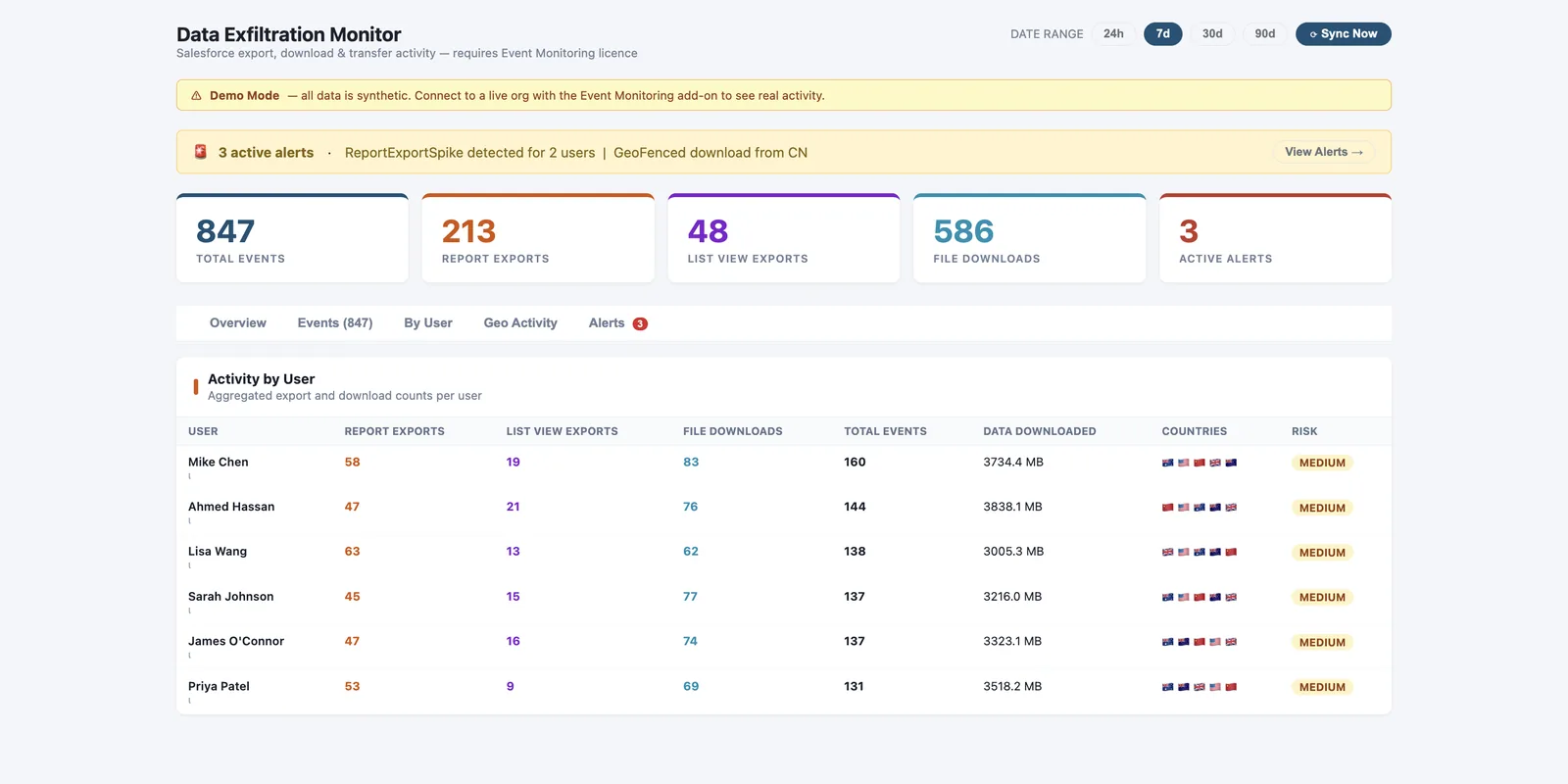
- Pull any user's activity over a chosen period to spot abnormal behaviour
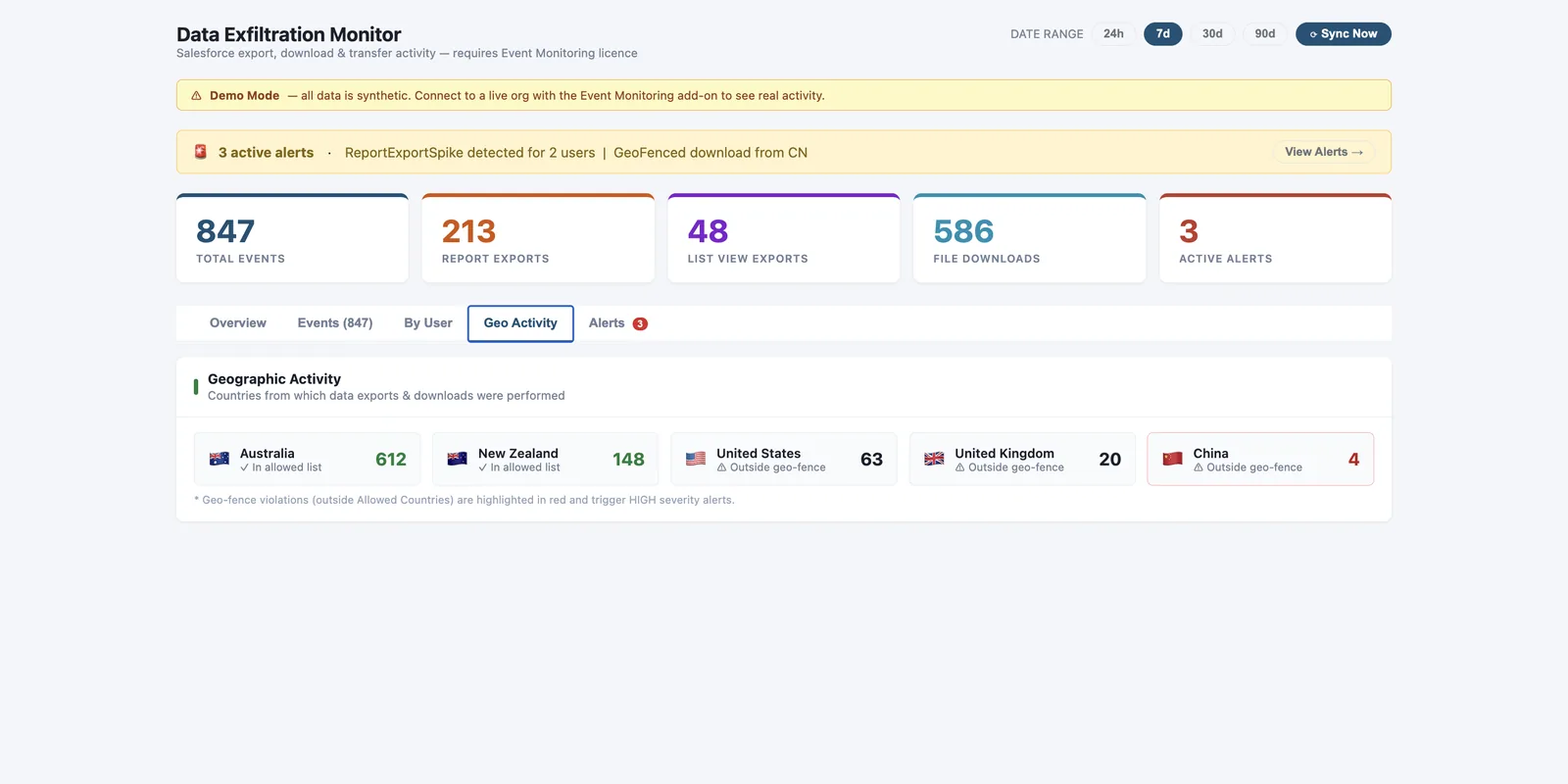
- Alerts as soon as detected — threshold breach or a download from a disallowed country
Requires a Salesforce Event Monitoring licence.
Any useractivity pulled over any period you choose
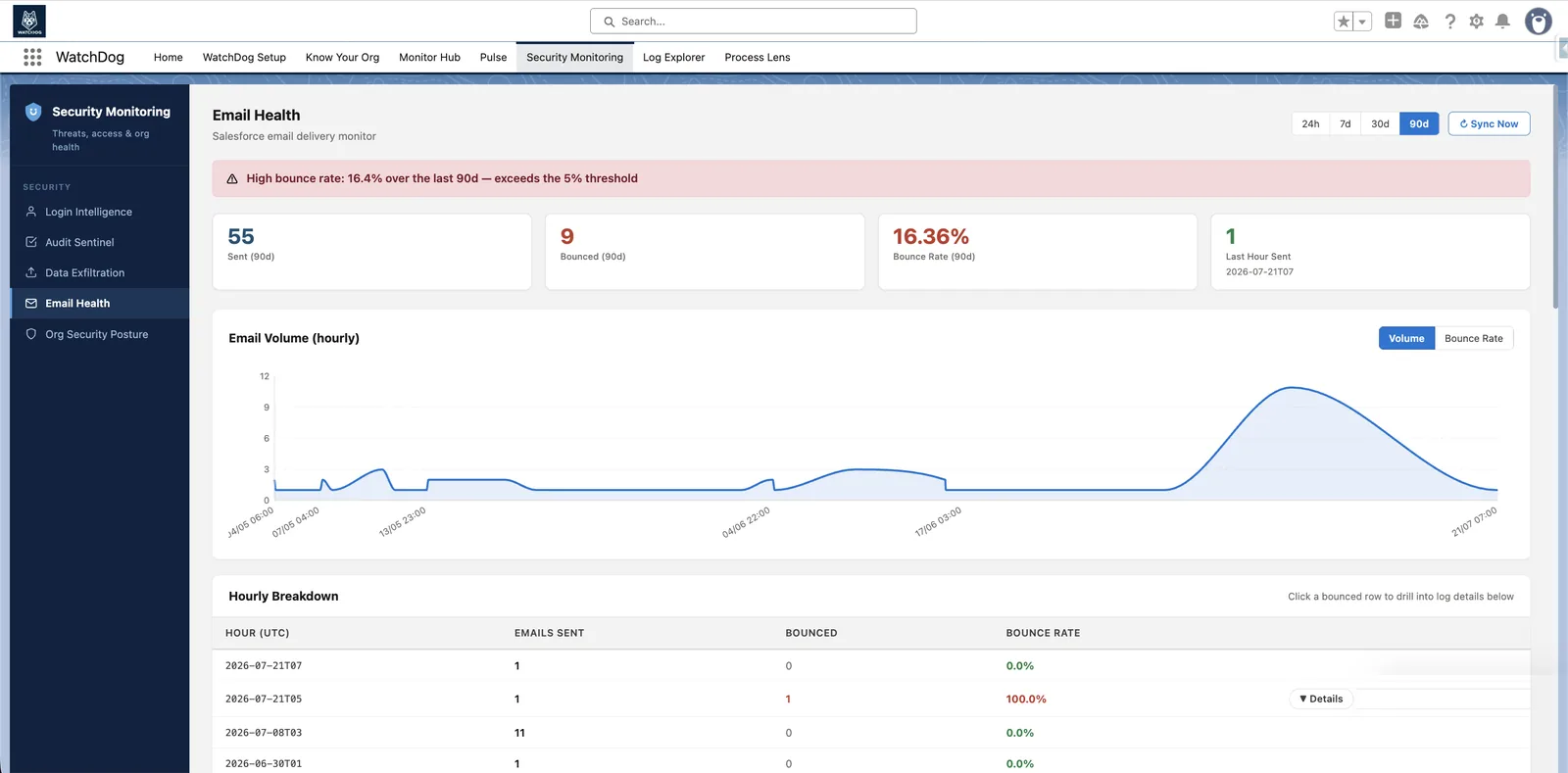
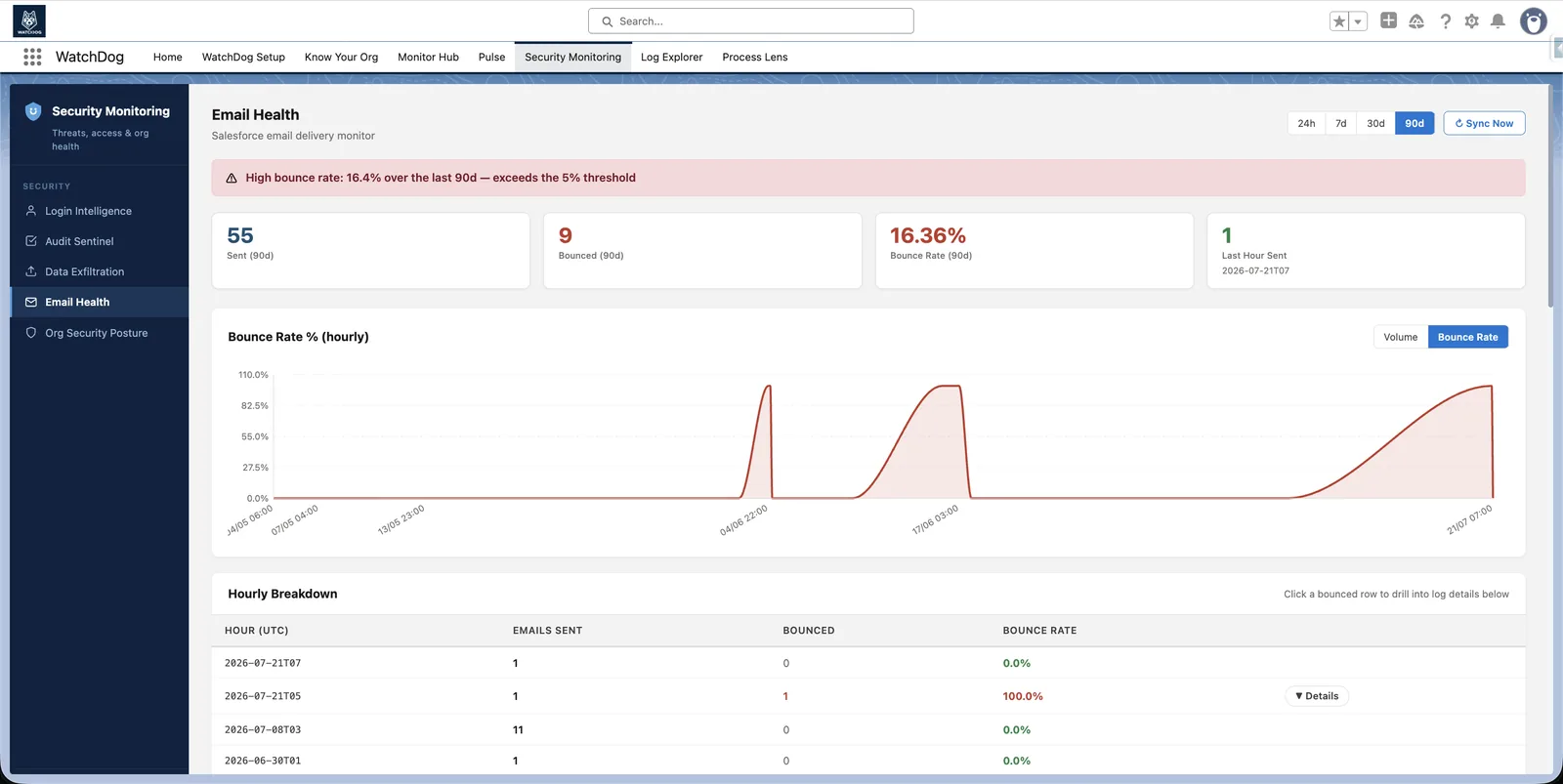
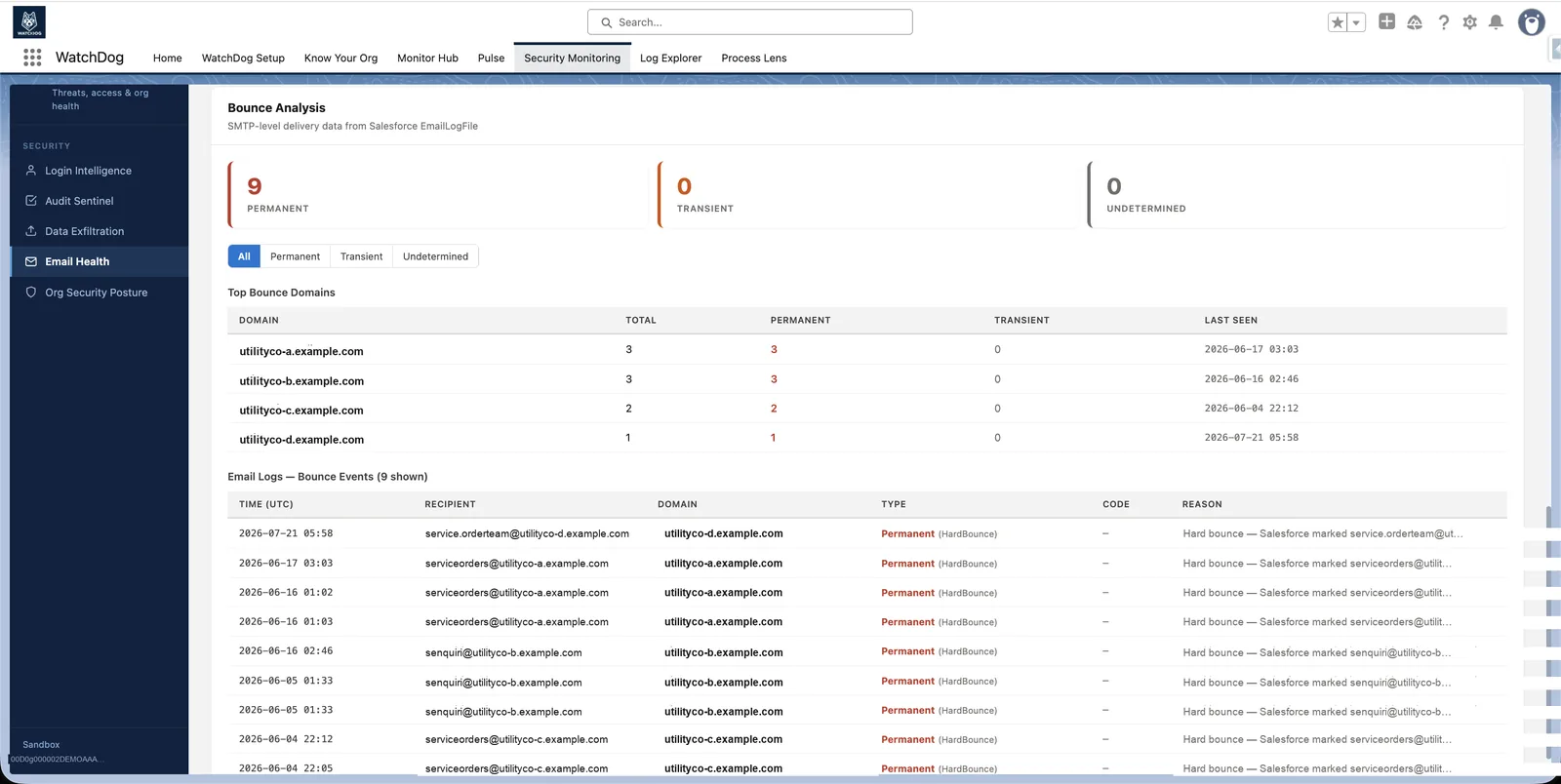
Email Health
Find out why emails bounce, not just that they did
- Polls EmailMessage & EmailLogFile hourly by default, configurable per org
- Digs into SMTP-level bounce type, code and reason — not just delivery status
- Bounce-rate and volume thresholds are yours to set — alerts as soon as they're crossed
- Top bouncing domains and 7 / 30-day trend charts inside Salesforce
Hourlybounce polling by default, configurable per org
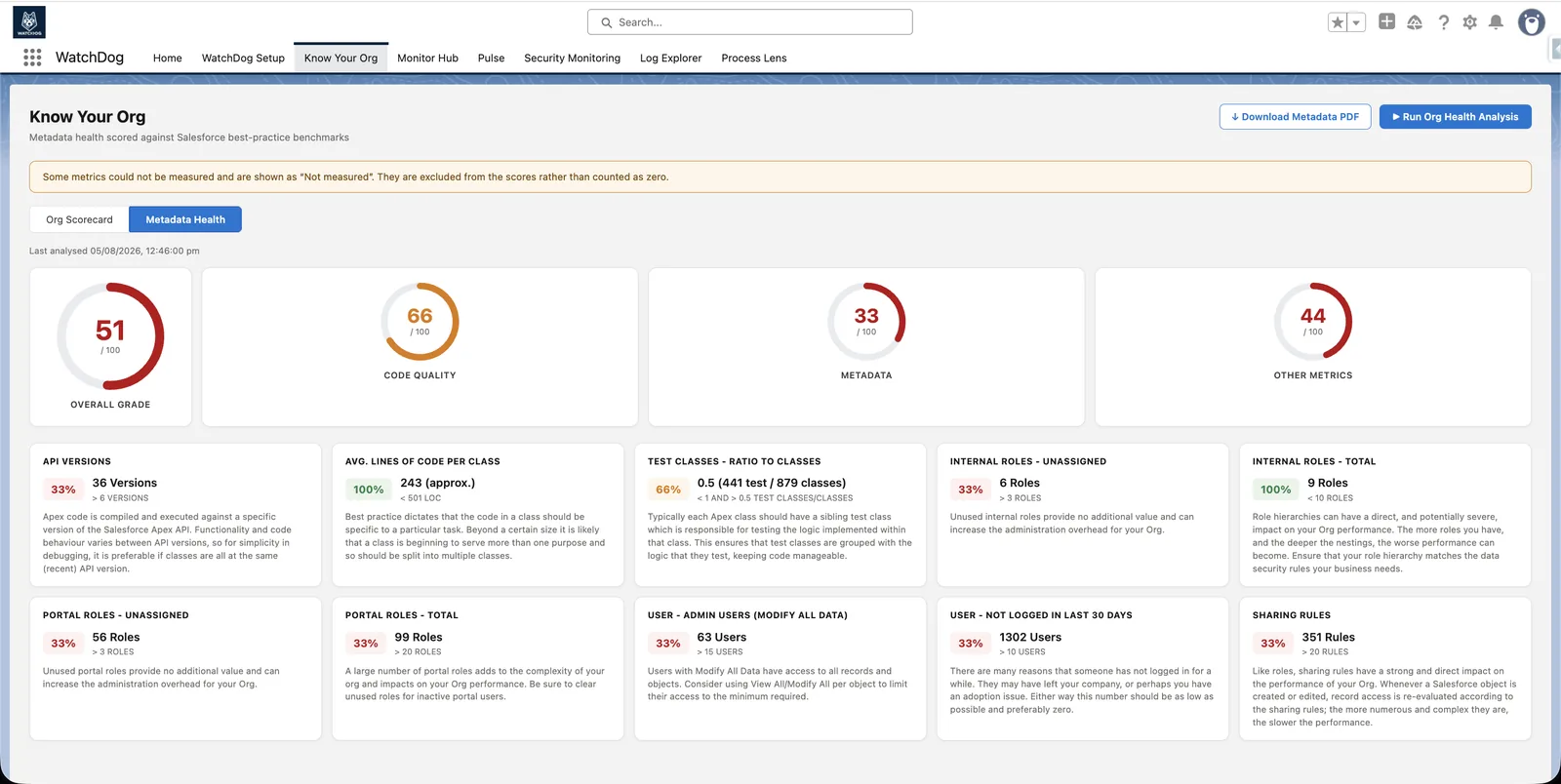
Know Your Org
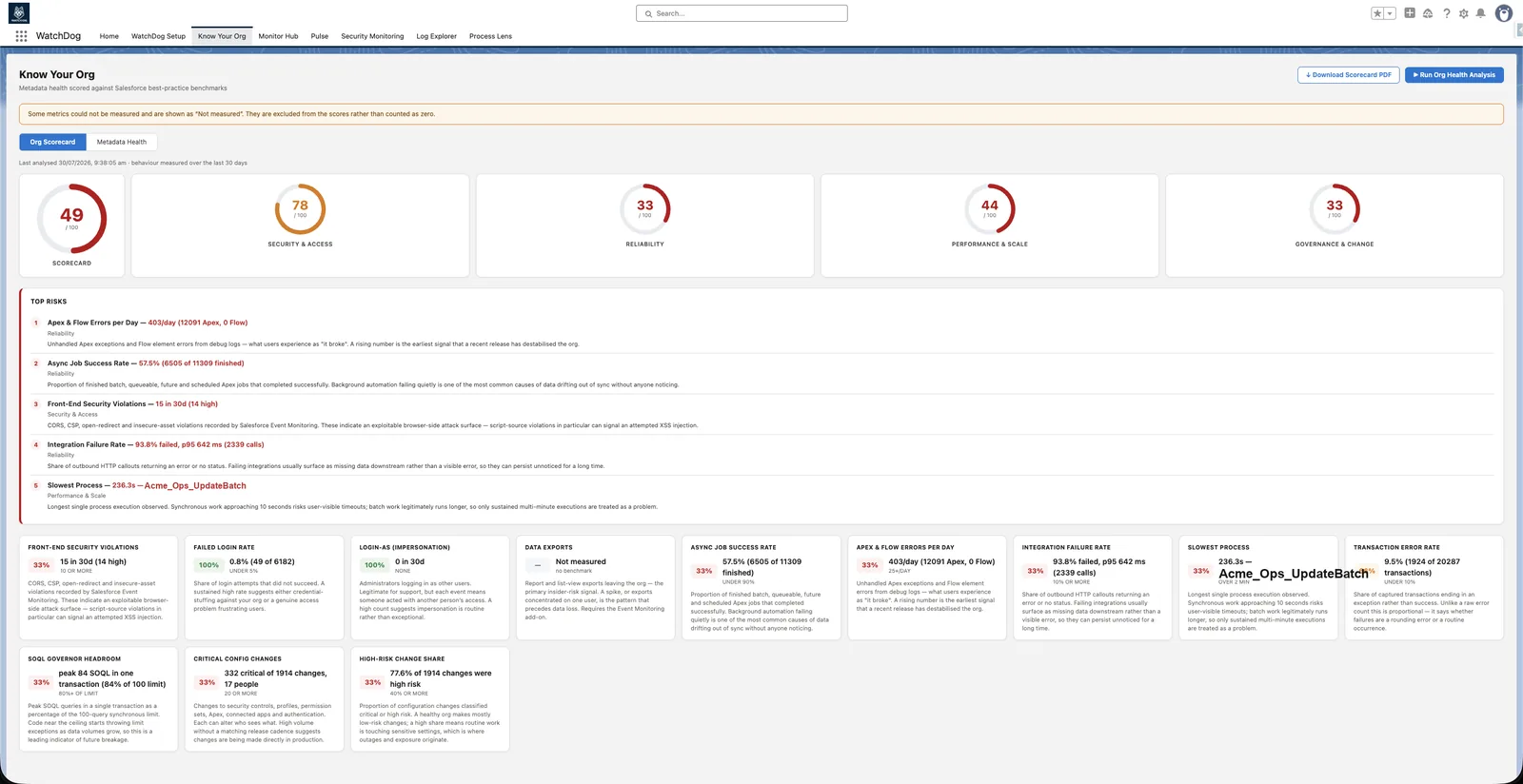
Salesforce health in a language execs read
- Org Health: 4 pillars scored 0-100, from data WatchDog already collects
- Metadata Health: API versions, class size, test coverage, roles, sharing rules vs. best practice
- Top risks ranked by impact, with plain-language reasons
- Both scorecards export to a standalone PDF
0–100health score across four pillars
 Slack
Slack
 Jira
Jira
 Azure DevOps
 Salesforce Notifications
 BYO AI (OpenAI, Bedrock & more)